Press Start Co

On a Video Call

Camera on, game running. Picks that work on a call.

By Stephen V., Founder & Editor · Last updated August 11, 2026 · How we pick

Quick picks

The short answer first. Tap any row for the full write-up; the price button goes straight to Amazon.

#GameBest forCrossplayPrice
1
No image
Among Us
Social deduction
A big group (including long-distance) that wants social deduction.Yes - full crossplayFree
2
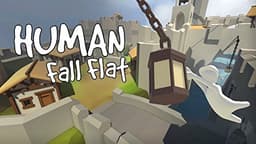
Human: Fall Flat cover art
Human: Fall Flat
Physics puzzle party
A group that wants cheap, silly physics-puzzle chaos, any platform.Yes - crossplay across platforms$19.99
3
No image
Fall Guys
Party battle royale
A group that wants goofy, low-stakes party chaos for free.Yes - full crossplayFree
4
No image
Rocket League
Sports / vehicular
Any mixed group that wants a free, easy-to-learn, hard-to-master pick.Yes - full crossplayFree
5
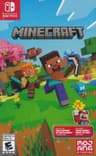
Minecraft cover art
Minecraft
Sandbox / survival
A mixed group that wants to build or survive together, any devices.Yes - Bedrock crossplay across all platforms$29.83

Games that work while you're on a call

Playing over a Zoom, Meet, or FaceTime call is a different constraint from playing over Discord. On a video call you are looking at faces, the call software is already eating bandwidth and CPU, and half the group may be on a work laptop that cannot run anything demanding. The games that work here are light, forgiving of interruption, and built around talking rather than reflexes.

Our top pick is Among Us, and it is not close. It is a game whose entire mechanic is a discussion - accusing, defending, and reading faces - which means a video call is not a workaround, it is an upgrade. It runs on a phone, so nobody needs to close the call window, and it scales from four players to fifteen.

After that the order depends on what your group can run. Human: Fall Flat and Fall Guys are both physical-comedy games where the fun is watching each other fail, so the video feed adds something real. Rocket League gives you five-minute matches that fit between conversations. Minecraft is the pick when the call is going to run for hours and you want something to potter around in while you talk.

Two ways to do this, and they are not the same

Everyone plays the same game - each person runs it on their own device while the call carries the conversation. This is the better experience and what the picks below assume. One person screen-shares- a single player runs the game and the others watch and direct. That works for puzzle and narrative games and needs only one copy, but Zoom's screen share is compressed and laggy, so it is poor for anything fast.

Check the work-laptop problem first

If some of your group is dialing in from a locked-down work machine, they may not be able to install anything at all. In that case the honest answer is a phone game running alongside the call - Among Us again - rather than anything on the computer. Our phone games page covers that scenario in full.

One to skip

Fortnite is free and on everything, but it is the wrong pick for a video call. Battle royale rounds put players in separate places at different times, so half your group is dead and waiting while the other half is too busy to talk. It also pushes hardware hard enough that running a call alongside it causes problems on laptops. Save it for a Discord night and pick a discussion-friendly game here instead.

The picks, in depth

1
No image

Among Us

PS5XboxSwitchPCMobileCrossplay: Yes - full crossplay

Best for: A big group (including long-distance) that wants social deduction.

4-15 players online + local · Social deduction

Free on mobile (a few dollars on other platforms) with full crossplay - the social-deduction pick that scales from four to fifteen. Perfect over a voice call with friends far away. Cheap or free depending on platform.

Facts verified via Innersloth official site.

Also a top pick in Best Games to Play With Friends and Long-Distance.

2
Human: Fall Flat cover art

Human: Fall Flat

SwitchPS5XboxPCMobileCrossplay: Yes - crossplay across platforms

Best for: A group that wants cheap, silly physics-puzzle chaos, any platform.

1-8 online + local co-op · Physics puzzle party

Wobbly-physics co-op puzzles for up to eight with crossplay - one of the best value party picks going, and frequently discounted. The humor comes from failure. Not a deep game, and that is the appeal.

Facts verified via Steam store page.

Also a top pick in Best Games to Play With Friends and Long-Distance.

$19.99 · View on Amazon
#ad · Price as of September 14, 2026 · Disclosure
3
No image

Fall Guys

PS5XboxSwitchPCMobileCrossplay: Yes - full crossplay

Best for: A group that wants goofy, low-stakes party chaos for free.

Up to 4 squad · Party battle royale

Free crossplay party royale - bean people falling over obstacle courses. Squad up to four and nobody needs to be good at games. Free with optional cosmetics.

Facts verified via Fall Guys official site.

Also a top pick in Party and Crossplay.

4
No image

Rocket League

PS5XboxSwitchPCCrossplay: Yes - full crossplay

Best for: Any mixed group that wants a free, easy-to-learn, hard-to-master pick.

2-4 online, local · Sports / vehicular

Car soccer, free, full crossplay - a five-minute match is easy to teach and endlessly re-playable. Great for a group split across every platform. Free with optional cosmetics.

Facts verified via Rocket League official site.

Also a top pick in Best Games to Play With Friends and Online.

5
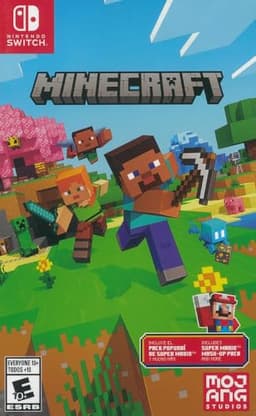
Minecraft cover art

Minecraft

SwitchPS5XboxPCMobileCrossplay: Yes - Bedrock crossplay across all platforms

Best for: A mixed group that wants to build or survive together, any devices.

1-8+ players, online + local · Sandbox / survival

The Bedrock edition plays crossplatform across phone, console, and PC, so it is the default answer when your group is on wildly different hardware. Endless, low-pressure, and works for kids and adults alike. Java edition (PC-only) does not crossplay with Bedrock - buy the console/mobile version for mixed groups.

Facts verified via Minecraft official site.

Also a top pick in Best Games to Play With Friends and Online.

$29.83 · View on Amazon
#ad · Price as of September 14, 2026 · Disclosure

Setting up so the call doesn't fight the game

Mute the game, not the people. Drop in-game music and effects to near zero. Game audio bleeding into an open mic is the single biggest reason these nights fall apart - everyone starts talking over a soundtrack nobody can hear properly. Headphones fix it at the source rather than by turning everything down, and on a video call the best gaming earbuds beat a bulky headset - they keep game sound out of the microphone without covering half your face.

Use a second device if you have one. The call on a phone or tablet, the game on the computer. This removes the alt-tab problem entirely and means a crashing game does not drop you out of the conversation.

Turn off HD video if anything stutters. Video is usually the first thing worth sacrificing - dropping to audio-only frees noticeable bandwidth and CPU, and once people are absorbed in a game they stop looking at the faces anyway.

Games that are better because you can see faces

Most multiplayer games treat video as irrelevant. A few are actively improved by it, and those are the ones worth choosing for a call.

Social deduction is the obvious category. Among Us is a game of reading people, and reading people is much easier when you can see them - the accusation phase becomes closer to a real conversation than a text chat ever manages. Playing it on a video call is arguably the definitive way to play it.

Physical comedyis the second. Human: Fall Flat and Fall Guys are funny because of failure, and the reaction on someone's face when they fall off at the last second is half the entertainment. On a voice-only call you get the laugh; on video you get the moment.

What does not benefit: anything requiring sustained concentration. If the game demands your full attention, the video window is just a resource cost - and you would be better off on voice only.

A realistic 45-minute plan

First five minutes: everyone joins the call, confirms they can hear each other, and gets the game open. Do not start explaining rules until people are actually in.

Next five: one practice round that does not count. This is the step people skip and the reason first sessions go badly - somebody always needs to find the mute button, the room code, or which button does the thing.

Remaining thirty-five: play. With Among Us that is roughly three rounds; with Rocket League it is around six matches, reshuffling teams between them. Stop while people still want more rather than playing until it fizzles - it makes the next session far easier to arrange.

When one person has to host

Most of these games nominate a host - the person who creates the lobby and shares the code. It is worth deciding who that is before the call rather than during it, because three people simultaneously creating lobbies is the most reliable way to waste the first ten minutes.

Pick whoever has the most stable connection and the most familiarity with the game. In Among Us the host also controls settings - map, number of impostors, discussion time - and sensible defaults matter more than people expect. With a group new to it, more discussion time and fewer impostors makes a far better first session than the default competitive settings.

Have a fallback host agreed too. If the host's connection drops, the lobby usually ends, and knowing immediately who restarts it keeps the evening moving.

How this differs from playing over Discord

Discord is built for gaming: it has lower-latency voice, per-app audio routing, and built-in Activities you can launch inside a voice channel. Zoom and Meet are built for meetings and have none of that. If your group is comfortable installing Discord, it is the better tool and our Discord guide covers it. Use this page when the call is already happening on Zoom - a family catch-up, a work social, or a group that will not install another app.

For a work context specifically, there are extra constraints worth respecting - session length, content, and who is allowed to install what. Our coworkers page is the version of this list written for a team social rather than a group of friends.

Whichever applies, check it in advance rather than on the night. Someone who assumes they can install a game, then discovers at 8pm that their machine will not let them, is the difference between a session that happens and one that quietly gets postponed and never rescheduled.

Frequently asked questions

What games can you play on Zoom with friends?+

Among Us is the best fit because the game is a discussion and it runs on a phone alongside the call. Human: Fall Flat, Fall Guys, and Rocket League also work well - they are short, funny, and easy to talk over. Minecraft suits a long, relaxed call.

Can you play a game through Zoom screen share?+

You can, but Zoom's screen share is compressed and adds lag, so it only really works for slow games - puzzles, narrative titles, or anything where one person plays and the others direct. For anything fast, everyone should run the game on their own device.

Is Discord better than Zoom for playing games?+

Yes, if your group will install it. Discord has lower-latency voice, better handling of game audio, and built-in Activities you can launch in a voice channel. Zoom is the right choice only when the call is already happening there.

How do we stop game audio ruining the call?+

Drop in-game music and sound effects to near zero before you start. Game audio bleeding into an open microphone is the single most common reason these sessions fall apart, because everyone ends up talking over a soundtrack only some people can hear.

Should we use two devices?+

If you can, yes - the call on a phone or tablet and the game on a computer. It removes the alt-tab problem entirely, and a game that crashes will not drop you out of the conversation at the same time.

What should we cut if the call keeps stuttering?+

Turn off HD video first, or drop to audio only. Video is usually the largest bandwidth and CPU cost, and once people are absorbed in a game they stop looking at the faces anyway.

What can we play if someone is on a work laptop?+

Assume they cannot install anything. A phone game running next to the call is the reliable answer - Among Us is free on mobile and needs nothing from the computer. Anything requiring a game install will exclude them.