Press Start Co

Setup & Gear

The gear side of playing together. What to buy, and what to skip.

By Stephen V., Founder & Editor · Last updated September 6, 2026 · How we pick

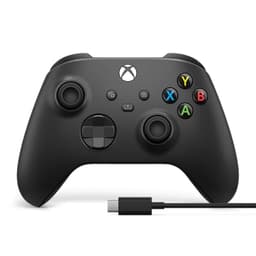
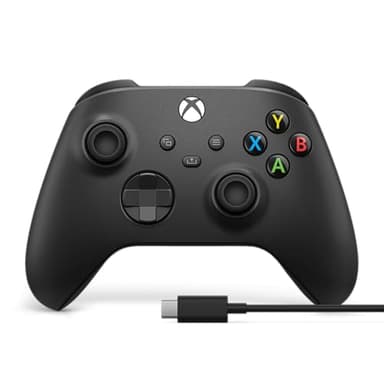
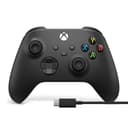
Xbox Wireless Controller product photo

If you buy one thing

Xbox Wireless Controller

A second pad turns every split-screen game you already own into a two-player game. Nothing else here changes as much for as little.

$51.57 · View on Amazon
$64.99-21%
#ad · Price as of September 14, 2026 · Disclosure

One pick from each guide

The top recommendation from each page below, in one table. Prices are live from Amazon; every item links the guide that explains why it is there and what is wrong with it.

#ItemBest forBracketPrice
1
Xbox Wireless Controller product photo
Xbox Wireless Controller
Controller
The default second controller for a PC, and the one Windows games assume you own.Mid-range$51.57
2
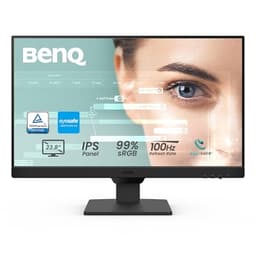
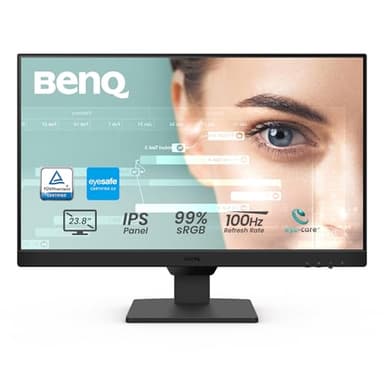
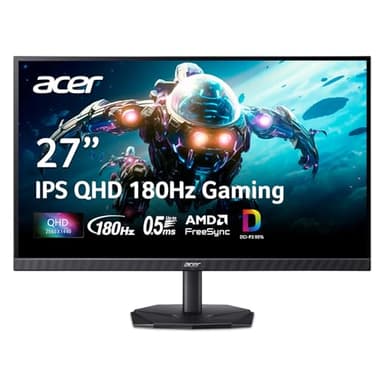
BenQ GW2490 product photo
BenQ GW2490
Monitor
The default second monitor: IPS, both video inputs, and speakers you can use for chat.Mid-range$99.99
3
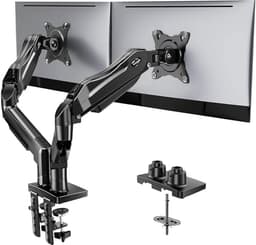
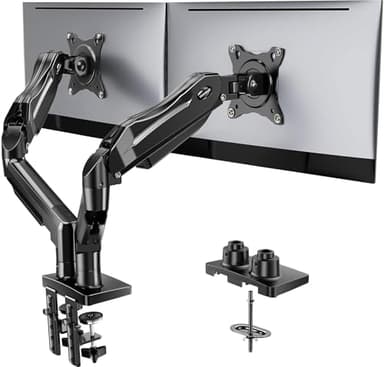
HUANUO FlowLift Dual Monitor Stand product photo
HUANUO FlowLift Dual Monitor Stand
Monitor arm
The best all-round dual arm: gas spring, big size range, both mounting options.Mid-range$59.99
4
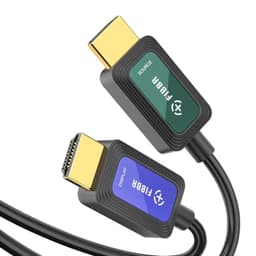
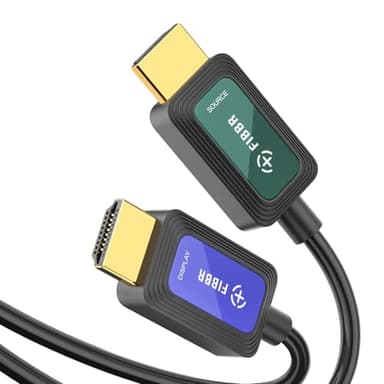
25 ft Fiber Optic HDMI 2.1 Cable product photo
25 ft Fiber Optic HDMI 2.1 Cable
Cable
Reaching a TV across the room from a PC without the picture falling apart.Budget$26.09
5
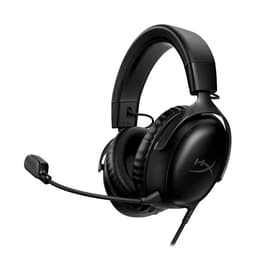
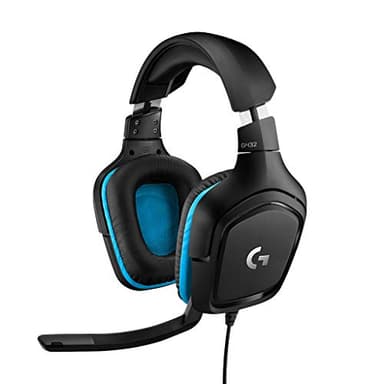
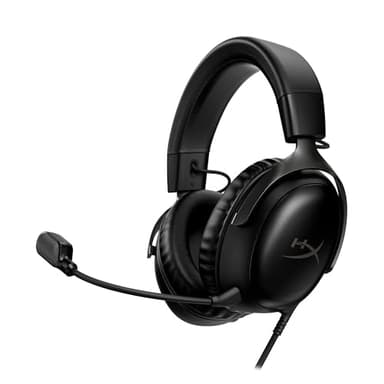
HyperX Cloud III product photo
HyperX Cloud III
Headset
One headset that works on the PC and both consoles, for long sessions.Mid-range$69.99

The rest of this site tells you what to play. This part tells you what to play it on.

Almost every page on Press Start Co answers the same question - what should we play tonight - and almost every one of them eventually runs into a hardware problem. The split-screen lists assume a second controller. The long-distance pages assume a microphone somebody can hear. The PC pages assume a machine that will actually run the thing. None of those assumptions are free, and until now none of them had a page.

This is that page. It is deliberately narrow: it covers the gear that stands between a group and a game they already want to play, and it stops there. There is no gaming chair here, no mechanical keyboard roundup, no desk. Those are enormous categories that have nothing to do with getting four people into the same lobby, and pretending otherwise would just be a way to sell you things.

What is on these pages, and in what order to read them

The second controller comes first. It is the cheapest purchase in this whole section and the one with the largest effect, because split-screen has never needed a second copy of the game - only a second pad. One controller converts a shelf of single-player-looking games into a two-player library. Start at the second controller guide and, honestly, many people can stop there.

Then the screen, if you play on a PC. The most common upgrade request we see is a second monitor, and the most common misunderstanding is what it is for. Two screens do not split a game across both - that is a rare, sim-specific feature with strict requirements. What a second screen actually does is hold the voice chat, the wiki and the party window that currently sit on top of your game. Dual monitor gaming explains the difference, do you need a second monitor covers whether it is worth it at all, and the budget build is for when the answer is yes but the budget is small.

Then the awkward questions. Two of them come up constantly and both have real answers. Can you use two different monitors together? is the one everybody asks after buying the first screen, and what to check before buying a monitor arm is the one nobody asks until the arm arrives and does not fit the desk.

Then the living room. If the goal is a group on a sofa rather than one person at a desk, getting a PC on the TV covers the two routes that work and what each costs. And if you are starting from nothing, the beginner setup guide puts the whole list in buying order.

How we pick hardware, and what we do not claim

The same rules as the rest of the site, with one extra. Every specification quoted on these pages is copied from the retailer's own product listing and dated, never recalled from memory. Every price is pulled live and stamped with the day it was checked, so a stale number disappears on its own rather than sitting there misleading you. Every single item carries an explicit downside, because a list where everything is excellent is an advertisement.

The extra rule is the one that matters most here: we have not tested this hardware.We are not a lab, we have no test bench, and we are not going to pretend we measured a panel's response time. What these pages do is narrow the field using specifications the manufacturer publishes and criteria that are genuinely decisive - the per-arm weight rating, whether the monitor has the port your graphics card has free, whether the controller works on the machine you own - and then tell you what each choice costs you. That is a real service, and it is a different thing from a review.

Where a cheaper option does the job, we say so and link it, even when the expensive one pays better. That is not a courtesy; a recommendation you regret is worth nothing to either of us.
Before you buy

Check what is already free before you buy anything.A Switch ships with two Joy-Con, which means two-player local play with no purchase at all. Steam's Remote Play Together lets up to four people play a local co-op game over the internet on one person's copy, at no cost. Several two-player games ship a Friend's Pass that covers the second player free. Our one copy, two players guide lists every route that costs nothing, and it is worth reading before the first order goes in - a real fraction of the people who land here do not need to spend anything.

The picks, in depth

1
Xbox Wireless Controller product photo

Xbox Wireless Controller

ControllerMicrosoftMid-range

Best for: The default second controller for a PC, and the one Windows games assume you own.

Bluetooth and USB-C, for Xbox consoles, PCs, TVs and mobile; textured grip; USB-C cable included

If the second pad is going anywhere near a Windows PC, this is the one to buy. Windows treats it as the reference gamepad, so it needs no driver work and every game that shows button prompts shows the correct ones. It pairs over Bluetooth to a PC, phone or TV, and the bundled USB-C cable means it also just works wired if a battery dies mid-session.

The catch: It still runs on AA batteries out of the box - there is no built-in rechargeable pack unless you buy one separately, which is a running cost the DualSense and the 8BitDo pads do not have.

Specification and availability taken from the retailer's product listing, checked September 6, 2026. Price is live and stamped under the button.

$51.57 · View on Amazon
$64.99-21%
#ad · Price as of September 14, 2026 · Disclosure
2
BenQ GW2490 product photo

BenQ GW2490

MonitorBenQMid-range

Best for: The default second monitor: IPS, both video inputs, and speakers you can use for chat.

24 inch, 1920x1080, 100Hz, IPS, DisplayPort and HDMI, built-in speakers, VESA mount

The one to buy if you only want to think about this once. It is IPS so it holds color off-axis, it has DisplayPort as well as HDMI so it will connect to whatever port is free, and the built-in speakers are genuinely useful on a second screen - you can push Discord audio to them and leave your headset carrying game sound.

The catch: Built-in monitor speakers are always mediocre, and 100Hz on a 1080p IPS panel is a productivity specification rather than a gaming one. If the second screen is meant to be a real gaming display, this is not the right purchase.

Specification and availability taken from the retailer's product listing, checked September 6, 2026. Price is live and stamped under the button.

$99.99 · View on Amazon
#ad · Price as of September 14, 2026 · Disclosure
3
HUANUO FlowLift Dual Monitor Stand product photo

HUANUO FlowLift Dual Monitor Stand

Monitor armHUANUOMid-range

Best for: The best all-round dual arm: gas spring, big size range, both mounting options.

Gas spring, fits 13-32 inch, VESA 75x75 and 100x100, 4.4-19.8 lbs per arm, C-clamp and grommet mounts included

This is the arm to buy if you want one purchase to cover whatever monitors you own now and whatever you replace them with. It combines the things the cheaper arms each miss: gas-spring movement, a 13-32 inch range, a 19.8 lb per-arm rating, and both a C-clamp and a grommet base in the box so it fits a desk with a back lip or a solid rear edge.

The catch: Still a clamp mount, so it needs a desk edge it can actually grip - check your desk is thick enough and not a thin laminate overhang before ordering. Heavy 32 inch panels near the 19.8 lb limit will sag over months on any arm in this price class.

Specification and availability taken from the retailer's product listing, checked September 6, 2026. Price is live and stamped under the button.

$59.99 · View on Amazon
$69.99-14%
#ad · Price as of September 14, 2026 · Disclosure
4
25 ft Fiber Optic HDMI 2.1 Cable product photo

25 ft Fiber Optic HDMI 2.1 Cable

CableUnbrandedBudget

Best for: Reaching a TV across the room from a PC without the picture falling apart.

Fiber optic HDMI 2.1, 25 foot, 48Gbps, 8K at 60Hz, 4K at 120Hz, VRR, ALLM, eARC; directional

Ordinary copper HDMI gets unreliable at high resolutions somewhere past roughly 10 feet, which is shorter than most living rooms. Fiber optic HDMI carries the signal as light and holds it over runs that copper cannot, which is what makes a PC-to-TV couch setup possible without moving the PC.

The catch: It is directional - one end is marked for the source and one for the display, and plugging it in backwards produces no picture at all, which looks exactly like a dead cable. This particular listing is also unbranded and carries no Ultra High Speed certification, so if a guaranteed 4K120 signal matters, buy the certified RUIPRO cable instead.

Specification and availability taken from the retailer's product listing, checked September 6, 2026. Price is live and stamped under the button.

$26.09 · View on Amazon
$28.99-10%
#ad · Price as of September 14, 2026 · Disclosure
5
HyperX Cloud III product photo

HyperX Cloud III

HeadsetHyperXMid-range

Best for: One headset that works on the PC and both consoles, for long sessions.

Wired, for PC, PS5 and Xbox Series X|S; angled 53mm drivers; memory foam; 10mm microphone; USB-C, USB-A and 3.5mm

The upgrade worth making if you play for hours or across several machines. It carries USB-C, USB-A and 3.5mm connections, so the same headset moves between a PC, a PS5 and an Xbox without adapters, and memory foam padding is the difference between a three-hour session being fine and being a headache.

The catch: It is wired, which is the right call for reliability but means you are tethered to the desk - if you get up during a session, the headset comes with you or comes off. Wireless costs meaningfully more.

Specification and availability taken from the retailer's product listing, checked September 6, 2026. Price is live and stamped under the button.

$69.99 · View on Amazon
$99.99-30%
#ad · Price as of September 14, 2026 · Disclosure

Frequently asked questions

What gear do you actually need to play games with friends?+

Less than most setup guides suggest. For local play on a console, one extra controller is the entire requirement - split-screen runs from a single copy of the game. For online play with friends, a microphone people can hear matters more than anything visual. Everything else on these pages is an improvement rather than a requirement.

Is a second monitor worth it for gaming?+

It depends on what you expect. It will not let you span a game across two screens except in a small number of simulators that support it, and only with matching panels. What it does reliably is keep voice chat, a guide or a stream window visible without covering the game. If that is the problem you have, it is one of the better upgrades available.

Do you test the hardware you recommend?+

No, and we say so on every page. We are a single-author enthusiast site with no test bench. What we do is verify specifications and availability against the retailer's own listing, date that check, pull prices live, and name a real downside on every item. We do not publish star ratings or claim measurements we did not take.

Why does this site cover gear at all?+

Because our own game pages kept ending at a hardware problem and then leaving the reader there. The split-screen lists say you need a second controller and never said which one. These pages close that gap and nothing wider - there are no chairs, desks or keyboards here, because none of those decide whether your group can play together tonight.

Are the prices on these pages current?+

The prices come from a live data layer and carry the date they were last checked, shown under every buy button. If a price goes stale it disappears and the button reads Check price instead, so you are never shown an out-of-date number. Specifications carry their own separate check date on each product.