Press Start Co

Best Gaming Headset for Discord

Nobody cares how your game sounds. They care whether they can hear you.

By Stephen V., Founder & Editor · Last updated October 5, 2026 · How we pick

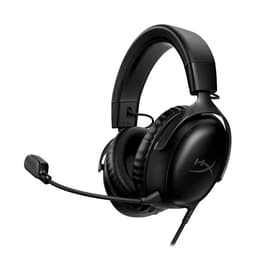
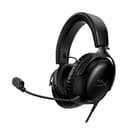
HyperX Cloud III product photo

Top pick

HyperX Cloud III

One wired headset that moves between PC, PS5 and Xbox on USB-C, USB-A or 3.5mm, with padding built for long sessions.

$69.99 · View on Amazon
$99.99-30%
#ad · Price as of October 5, 2026 · Disclosure

Buy for the microphone, not the sound. The HyperX Cloud III is the pick.

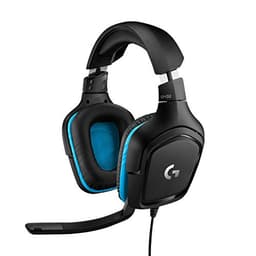
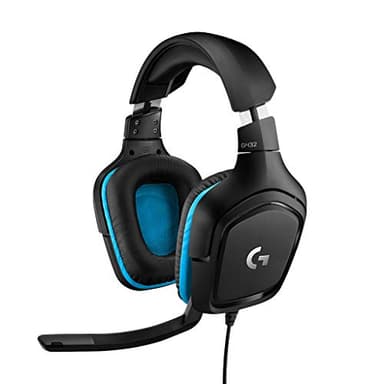
If you play with friends over Discord, the headset you want is the HyperX Cloud III, and the reason is not how good games sound through it. It is that nobody in your group cares how your game sounds - they care whether they can hear you. It is wired, so there is no battery to die mid-session, and its USB-C, USB-A and 3.5mm connections mean the same headset works on a PC, a PS5 and an Xbox without adapters. If your budget is tighter, the Logitech G432 does the important part of the job for meaningfully less.

That is the whole recommendation. The rest of this page is what to check, because the specifications that headset marketing leads with are mostly the ones that matter least for playing with friends.

Why the microphone is the spec that matters

Think about what actually goes wrong on a games night. Almost never "the audio was not immersive enough". Nearly always one of these: somebody was too quiet to hear, somebody's microphone picked up their keyboard louder than their voice, somebody echoed because their speakers were feeding back into their mic, or somebody's battery died in the middle of a match.

Every one of those is a microphone or a power problem. None of them is a driver problem. So when you are choosing a headset specifically for Discord, you are really choosing a microphone that happens to come attached to some headphones - and that inverts most of the buying advice you will read.

What to check, in order

1. A boom microphone, not an in-line one. The single biggest difference in how clear you sound is how close the mic sits to your mouth. A boom arm holds it a couple of inches away; the little in-line capsule on a pair of earbuds sits down by your collarbone picking up the room. This one feature outweighs every frequency-response number on the box.

2. Wired, unless you have a specific reason not to be. This is the recommendation most likely to be argued with, and it is still right for voice chat. Wired means no battery to die, no pairing to fail, no interference, and no compression on the microphone signal. Wireless headsets are genuinely good now, and they cost meaningfully more to get the same microphone quality. Spend the difference on the mic instead unless you actually need to walk around.

3. The connector your machines actually have. This is where people buy the wrong thing. A USB-only headset will not work on a device that expects 3.5mm, and a 3.5mm headset plugged into a controller may route voice through the console rather than the PC. If you play on more than one machine, a headset with several connection options - the Cloud III carries USB-C, USB-A and 3.5mm - saves you buying twice.

4. Padding, if sessions run long. The difference between a three-hour session being fine and giving you a headache is clamp force and padding material, not audio quality. Memory foam is the thing to look for. This is a genuine quality-of-life upgrade and the main reason to spend above the budget tier.

5. Ignore virtual surround as a buying reason. Positional audio processing is a nice extra, not a differentiator, and it is frequently a software feature you could enable anyway. It should never be the reason you pick one headset over another with a better microphone.

The free fixes to try before you buy anything

If your problem is that people say they cannot hear you properly, do these first - quite often the headset was never the problem.

Turn down your input sensitivity and use push-to-talk if you have a loud keyboard.Discord's automatic input detection is the usual culprit behind clipped first words.

Stop using speakers.Echo is almost always someone's game audio coming out of a speaker and back into their own microphone. A headset of any kind fixes it, which is the one problem where simply owning one is the whole solution.

Check which device Discord is actually using. Windows will happily leave your input on a webcam microphone while your new headset sits unused. It is worth thirty seconds in the settings before concluding the hardware is bad.

Specs and availability for both picks below were last verified against the retailer listings on September 6, 2026.
Before you buy

Both picks here are wired, and that is deliberate. We do not currently recommend a wireless headset for voice chat, because at this price level the wireless versions spend their budget on the radio rather than the microphone. If you need to get up and move during sessions, wireless is the right trade - but expect to pay noticeably more for the same voice quality, and expect to charge it.

The two picks, compared

Having read what to check, here are the two headsets in our registry that meet it - one mid-range, one budget. Specs are copied from the retailer listing; prices are live from Amazon.

#ItemBest forBracketPrice
1
HyperX Cloud III product photo
HyperX Cloud III
Headset
One headset that works on the PC and both consoles, for long sessions.Mid-range$69.99
2
Logitech G432 product photo
Logitech G432
Headset
A first headset that makes you audible on Discord without spending real money.Budget$39.99

The picks, in depth

1
HyperX Cloud III product photo

HyperX Cloud III

HeadsetHyperXMid-range

Best for: One headset that works on the PC and both consoles, for long sessions.

Wired, for PC, PS5 and Xbox Series X|S; angled 53mm drivers; memory foam; 10mm microphone; USB-C, USB-A and 3.5mm

The upgrade worth making if you play for hours or across several machines. It carries USB-C, USB-A and 3.5mm connections, so the same headset moves between a PC, a PS5 and an Xbox without adapters, and memory foam padding is the difference between a three-hour session being fine and being a headache.

The catch: It is wired, which is the right call for reliability but means you are tethered to the desk - if you get up during a session, the headset comes with you or comes off. Wireless costs meaningfully more.

Specification and availability taken from the retailer's product listing, checked September 6, 2026. Price is live and stamped under the button.

$69.99 · View on Amazon
$99.99-30%
#ad · Price as of October 5, 2026 · Disclosure
2
Logitech G432 product photo

Logitech G432

HeadsetLogitechBudget

Best for: A first headset that makes you audible on Discord without spending real money.

Wired gaming headset

For playing with friends the microphone matters more than the drivers, and the cheapest way to stop being the person nobody can hear is a wired headset from a company that makes a lot of them. Wired also means no battery to die in the middle of a session and nothing to pair.

The catch: Budget headset build quality is what it is - the plastic and the padding are the first things to go, and this is a cable you will eventually snag on a chair arm. Nobody should expect a wired budget set to survive being sat on.

Specification and availability taken from the retailer's product listing, checked September 6, 2026. Price is live and stamped under the button.

$39.99 · View on Amazon
$79.99-50%
#ad · Price as of October 5, 2026 · Disclosure

Which of the two to buy

Buy the HyperX Cloud III if you play for more than an hour at a time, or you play on more than one machine. The memory foam padding is what makes long sessions comfortable, and the three connector options mean it moves between a PC, a PS5 and an Xbox without a second purchase. For most people reading this page, it is the right answer.

Buy the Logitech G432 if the goal is simply to stop being the person nobody can hear, for as little money as possible. It is a wired headset with a boom mic from a company that makes a lot of them, and it does the core job. Accept that budget build quality is what it is - the padding and the cable are the first things to go.

Do not buy either if you already own a decent pair of wired headphones. A standalone clip-on or desk microphone plus the headphones you have will often sound better than a budget headset, for similar money. The headset is the convenient answer, not the only one.

Where this fits in the rest of the setup

A headset is usually the second or third thing worth buying for playing with friends, not the first. If you are building from scratch, our beginner gaming setup page puts it in order against the other purchases. If people are joining you on the sofa rather than online, a second controller does far more for your evenings than a headset will.

If the reason you are buying is specifically that you play with friends in other cities, the companion pages are our Discord guide, which covers the software side of exactly this setup, and games over FaceTime for an all-iPhone group. Groups that cannot use voice chat at all are covered at games without voice chat.

Frequently asked questions

What is the best gaming headset for Discord?+

The HyperX Cloud III is our pick. It is wired, so there is no battery to die mid-session, it carries USB-C, USB-A and 3.5mm connections so one headset covers a PC, a PS5 and an Xbox, and its memory foam padding is built for long sessions. The Logitech G432 is the budget alternative that still has the thing that matters most, a boom microphone.

Does the microphone matter more than the sound quality for Discord?+

Yes, by a wide margin. The things that actually ruin a games night are being too quiet, picking up keyboard noise, echoing, or a battery dying - all microphone and power problems, none of them driver problems. For voice chat you are really buying a microphone that comes attached to headphones.

Should I get a wired or wireless headset for voice chat?+

Wired, unless you specifically need to walk around during sessions. Wired means no battery to die, no pairing to fail and no compression on the microphone signal. Wireless headsets are good, but at the same price they spend their budget on the radio rather than the microphone.

Is a boom microphone better than an in-line one?+

Much better, and it is the single most important feature to look for. A boom arm holds the microphone a couple of inches from your mouth, while the in-line capsule on earbuds sits near your collarbone picking up the whole room. This outweighs every frequency-response figure on the box.

Why can't my friends hear me properly on Discord?+

Try the free fixes before buying hardware. Lower your input sensitivity or switch to push-to-talk if you have a loud keyboard, since automatic detection is the usual cause of clipped first words. Check that Discord is using your headset rather than a webcam microphone. And if people hear an echo, that is almost always game audio coming from speakers back into a microphone - any headset fixes it.

Do I need a headset with virtual surround sound?+

No. Positional audio processing is a pleasant extra rather than a differentiator, and it is often a software feature you could enable anyway. It should never be the reason you choose one headset over another that has a better microphone.

Will one headset work on PC, PS5 and Xbox?+

It will if it has the right connectors, which is why we recommend checking that before anything else. The HyperX Cloud III is listed for PC, PS5 and Xbox Series X|S and carries USB-C, USB-A and 3.5mm, so it moves between machines without adapters. A USB-only headset will not work on a device expecting a 3.5mm connection.