Split-screen never needed a second copy of the game. It needs a second pad.
This is the single most common hardware wall on this site, and it comes up on almost every local co-op page we publish. A console ships with one controller. A split-screen game needs one per player, because each view needs its own input. So a household with one pad owns a library of two-player games it cannot play two-player, and the fix is a single purchase that costs less than most of the games it unlocks.
Worth stating plainly, because it saves people money: you never need a second copy of the game for local split-screen. Not on PlayStation, not on Xbox, not on Switch, not on PC. One copy, one console, two pads, two players. Anyone telling you otherwise is describing online play, which is a different thing. That is also why a second pad is the gift we recommend most for someone who already owns every game - see gifts for the gamer who has everything - and why it is the clearest “wait for November” on our Black Friday page: both mainstream pads discounted in 2025.
What actually decides which pad to buy
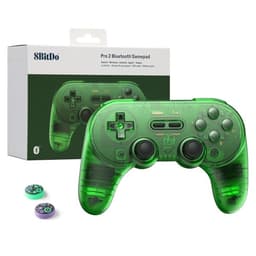
1. Which machines does it have to work on? This is the whole decision for most people, and it is worth thinking one step ahead. A pad bought for a PC today is a pad you might want on a Switch in two years. First-party controllers are excellent on their own machine and awkward or impossible elsewhere; third-party pads from 8BitDo trade a little polish for working on nearly everything. If your household has more than one kind of console, buy for the widest coverage.
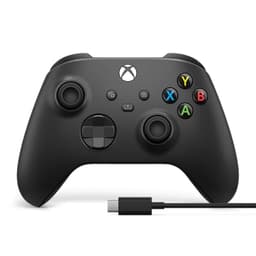
2. Will the game show the right buttons? An underrated annoyance. PC games overwhelmingly assume an Xbox-layout pad, so an Xbox controller shows the prompts the game was designed around. Plug in something else and a game may tell you to press A while your pad says B in that position - fine for an experienced player, genuinely confusing for the friend you are trying to introduce to games.
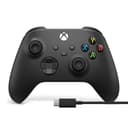
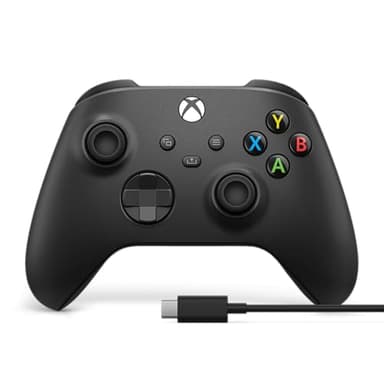
3. Batteries or a cable? A second controller is, by definition, the one that sits in a drawer between sessions, which is exactly the controller you will find dead when somebody turns up. Rechargeable pads solve this; the Xbox controller still ships expecting AA batteries, though the bundled USB-C cable means it can be played wired while it is plugged in. Consider it a small running cost rather than a dealbreaker.
4. Stick drift, eventually. The failure everybody hits sooner or later is a stick that registers movement when you are not touching it. Hall effect sticks use magnets rather than a physical wiper contact, which is the part that wears out - two of the pads here list them, and on a controller that will get handed to a different person every week that is a genuine longevity argument rather than a spec-sheet flourish.
The machine-by-machine short answer
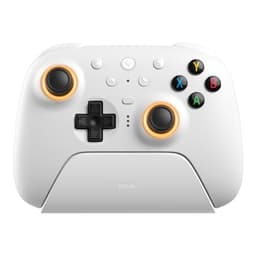
On a PC: the Xbox Wireless Controller, more or less regardless of anything else. Windows treats it as the default gamepad, so there is no driver work and no prompt mismatch. The 8BitDo Ultimate 2 is the alternative if you would rather not pay first-party money for a pad aimed at PC, Steam and Android.
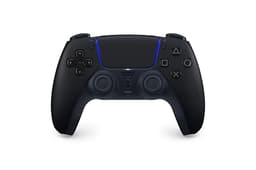
On a PS5:a second DualSense, because it is the only pad that gives you the console's own features and guaranteed compatibility with every game. It is also the most expensive option here, which is why our pass and play PS5 list exists - it covers the games a whole room can play on the single controller you already own, if a second pad is not happening this month.
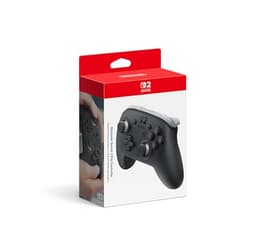
On a Switch or Switch 2: check the box first. A Switch ships with two Joy-Con, and for a great many games that is already two players at no cost. Buy a Pro Controller for players three and four, or for anyone who finds a single Joy-Con uncomfortable - not for player two.
Across several machines: the 8BitDo Pro 2. It is the cheapest pad here and the one listed for the most systems, including Switch, Switch 2, PC, Android, macOS and Raspberry Pi, with Hall effect sticks into the bargain. The trade is an unusual layout and occasional button-prompt confusion.