Press Start Co

Best Mobile Games to Play With a Controller

Your phone runs these. Touch controls are why you stopped playing them.

By Stephen V., Founder & Editor · Last updated October 17, 2026 · How we pick

The games, and the pads that list phone support

The phone games on this site that were built for a controller somewhere else first, and the four pads whose own listings name phones. Pad specs checked October 17, 2026.

#GameBest forCrossplayPrice
1
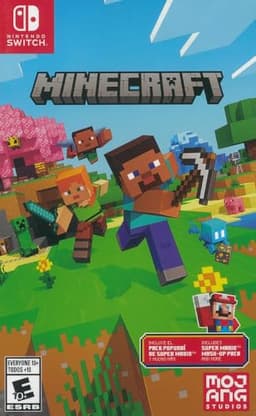
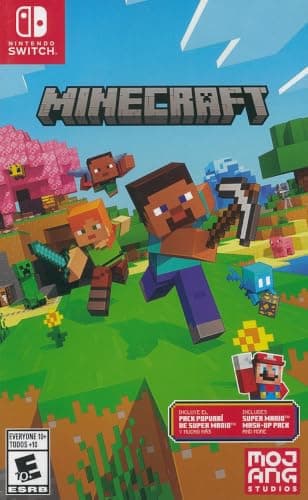
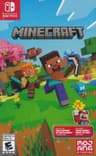
Minecraft cover art
Minecraft
Sandbox / survival
A mixed group that wants to build or survive together, any devices.Yes - Bedrock crossplay across all platforms$29.83
2
Genshin Impact - Action RPG
Genshin Impact
Action RPG
A group that wants a free, gorgeous open-world RPG with drop-in co-op.Yes - crossplay + cross-saveFree
3
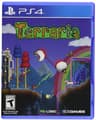
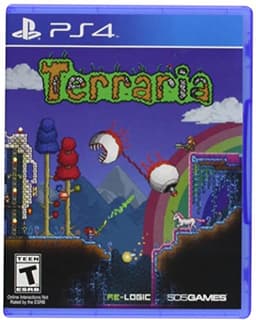
Terraria cover art
Terraria
Sandbox / adventure
A group that wants a cheaper, 2D take on build-and-survive together.Partial - crossplay across most platforms (same version)$5.40
4
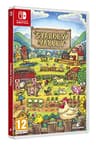
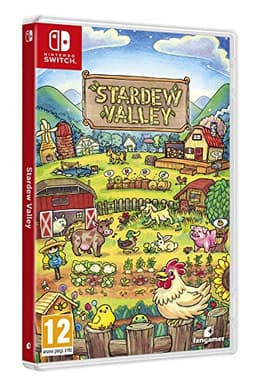
Stardew Valley cover art
Stardew Valley
Farming / life sim
A calm group on the same system that wants to build a farm together.No - multiplayer is same-platform only$35.45
5
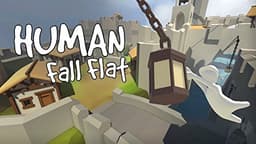
Human: Fall Flat cover art
Human: Fall Flat
Physics puzzle party
A group that wants cheap, silly physics-puzzle chaos, any platform.Yes - crossplay across platforms$19.99
6
Fortnite - Battle royale / party
Fortnite
Battle royale / party
A mixed-platform group that wants a free, everyone-already-has-it option.Yes - full crossplay across everythingFree
7
Warframe - Co-op looter-shooter MMO
Warframe
Co-op looter-shooter MMO
Four friends on four different machines who want a free co-op grind with a decade of content behind it.Yes - cross platform play and Cross Save across every platformFree

Controllers that list phone support

#ItemBest forBracketPrice
1
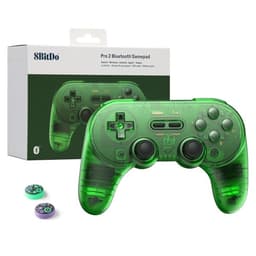
8BitDo Pro 2 product photo
8BitDo Pro 2
Controller
The cheapest second pad that works on genuinely everything, including the Switch.Budget$49.99
2
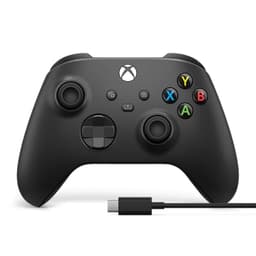
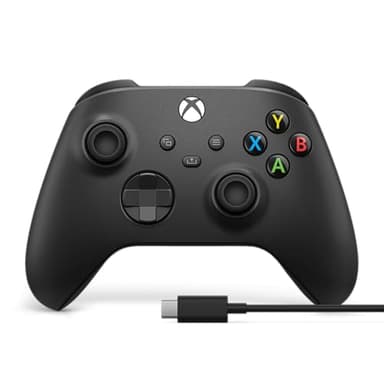
Xbox Wireless Controller product photo
Xbox Wireless Controller
Controller
The default second controller for a PC, and the one Windows games assume you own.Mid-range$51.57
3
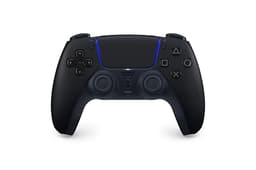
PlayStation DualSense Wireless Controller product photo
PlayStation DualSense Wireless Controller
Controller
The second pad a PS5 household has to buy before any split-screen game will work.Mid-range$74.00
4
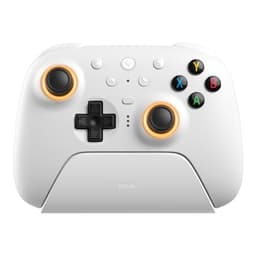
8BitDo Ultimate 2 Wireless Controller product photo
8BitDo Ultimate 2 Wireless Controller
Controller
A PC-and-Steam household that wants a modern layout without paying first-party prices.Mid-range$59.99

Buy the 8BitDo Pro 2 if your phone is an Android, and the 8BitDo Ultimate 2 if it is an iPhone - then play Minecraft, which is the one game here where a pad changes the experience most

The verdict first. The pad matters more than the game, because most of the games below are console or PC games wearing a phone costume - and the pad is the thing that takes the costume off. For an Android phone, the 8BitDo Pro 2 is the cheapest pad here whose own listing names Android, and it carries Hall effect sticks, which use magnets rather than a wiper contact and are the specification that decides whether a controller develops stick drift in two years. For an iPhone, the 8BitDo Ultimate 2 is the one listed for Apple as well as Android and PC. If you already own a console, stop reading: the Xbox Wireless Controller lists Xbox consoles, PCs, TVs and mobile, and the DualSense lists PS5, PC, Mac and mobile. The pad on your coffee table almost certainly already does this.

On the game side, Minecraft is the pick: it runs on phones, PS5, Xbox, PC and Switch with Bedrock crossplay across all of them, and it is the game where touch controls cost you the most - building while moving is a two-thumb problem that a touchscreen cannot solve. Genshin Impact is the second pick for the same reason and a different genre, and Terraria and Stardew Valleyare the two that a pad turns from “fine on a phone” into something you will actually finish.

What this page will and will not tell you

We are not going to print a controller-support tick next to each game, and it is worth explaining why, because every other page on this subject does. Controller support on a phone is declared per game, per operating system and per update - a title can support a pad on iOS and not on Android, or add support in a patch and never announce it. Publishing a table of ticks that was true once is how these pages go quietly wrong, and this site's rule is that a fact either comes from the operator's own listing or it does not get printed.

What issourced here: the four controllers below, each of which names phones, Android or Apple in its own retailer listing; and the games' platform lists and player counts, which come from the publishers'. Before you buy a pad for one specific game, open that game's App Store or Google Play listing and look for the controller line - on the App Store it sits in the information panel as a supported controller entry. That is thirty seconds and it is the only check worth making.

Bluetooth is the whole compatibility story, and it is simpler than it looks

Every pad on this page pairs to a phone over Bluetooth, the same way a set of headphones does. There is no dongle, no app and no account. Put the controller into pairing mode, open the phone's Bluetooth settings, tap it once, and from then on the phone remembers it. Both modern phone operating systems have handled gamepads at the system level for years, which is why this is no longer the fiddly business it was.

The one genuine annoyance is button glyphs. A game that expects an Xbox pad will draw Xbox buttons on screen even if you are holding something else, so an 8BitDo pad with a Nintendo-style face layout can leave you pressing the wrong button for a week. That is the trade for the 8BitDo Pro 2's price and its cross-machine reach, and it is the same caveat our second controller guide raises for couch co-op.

A clip or a stand is the accessory nobody budgets for

A controller in your hands and a phone flat on a table is a bad arrangement, and most people discover this after the pad arrives. Either buy a clip that mounts the phone to the controller, or prop the phone against something at eye height. This is the mobile version of the point our budget dual monitor build makes about cables: the cheap part you forget is the part that decides whether the expensive part gets used.

Who should not buy a controller for their phone

Anyone whose phone games are phone games. Among Us, Fall Guys and the tap-and-swipe tier of mobile multiplayer were designed for thumbs on glass and a pad adds nothing - free mobile games and phone games for a room are the lists for that, and neither needs hardware. A controller is worth buying when the game you are playing on a phone exists on a console as well, which is exactly the set below.

Before you buy

Check the game's own store listing before you buy a pad for it. Controller support on mobile is per-game and per-platform, and it is stated on the App Store or Google Play page rather than anywhere we could keep current. If the pad is for one specific game, read that line first. If the pad is for “phone games in general”, buy the one that also works on the machines you already own - which is the argument for the Xbox pad and the DualSense over anything bought only for a phone.

The games, in depth

1
Minecraft cover art

Minecraft

SwitchPS5XboxPCMobileCrossplay: Yes - Bedrock crossplay across all platforms

Best for: A mixed group that wants to build or survive together, any devices.

1-8+ players, online + local · Sandbox / survival

The Bedrock edition plays crossplatform across phone, console, and PC, so it is the default answer when your group is on wildly different hardware. Endless, low-pressure, and works for kids and adults alike. Java edition (PC-only) does not crossplay with Bedrock - buy the console/mobile version for mixed groups.

Facts verified via Minecraft official site.

Also a top pick in Best Games to Play With Friends and Online.

$29.83 · View on Amazon
#ad · Price as of October 29, 2026 · Disclosure
2
Genshin Impact - Action RPG

Genshin Impact

PS5PCMobileCrossplay: Yes - crossplay + cross-save

Best for: A group that wants a free, gorgeous open-world RPG with drop-in co-op.

1-4 co-op online · Action RPG

Free open-world action RPG with crossplay and cross-save between phone, PC, and PlayStation. Co-op is drop-in for the overworld and domains. Free with optional gacha - easy to ignore for casual co-op.

Facts verified via HoYoverse official site.

Also a top pick in Free and On Your Phone.

3
Terraria cover art

Terraria

SwitchPS5XboxPCMobileCrossplay: Partial - crossplay across most platforms (same version)

Best for: A group that wants a cheaper, 2D take on build-and-survive together.

1-8 co-op online + local · Sandbox / adventure

A huge 2D sandbox with deep co-op for up to eight, and cross-platform play across most systems running the same version. Cheap and endless. It is dense - newcomers may want a veteran to guide the first few hours.

Facts verified via Steam store page.

Also a top pick in Crossplay and PC.

$5.40 · View on Amazon
#ad · Price as of October 29, 2026 · Disclosure
4
Stardew Valley cover art

Stardew Valley

SwitchPS5XboxPCMobileCrossplay: No - multiplayer is same-platform only

Best for: A calm group on the same system that wants to build a farm together.

1-4 players co-op (same platform) · Farming / life sim

Four-player co-op farming that is the antidote to competitive stress - everyone shares one farm. The catch: multiplayer is same-platform only, so everyone needs to be on Switch, or everyone on PC. Not a crossplay pick.

Facts verified via Stardew Valley official site.

Also a top pick in Best Games to Play With Friends and Switch.

$35.45 · View on Amazon
#ad · Price as of October 29, 2026 · Disclosure
5
Human: Fall Flat cover art

Human: Fall Flat

SwitchPS5XboxPCMobileCrossplay: Yes - crossplay across platforms

Best for: A group that wants cheap, silly physics-puzzle chaos, any platform.

1-8 online + local co-op · Physics puzzle party

Wobbly-physics co-op puzzles for up to eight with crossplay - one of the best value party picks going, and frequently discounted. The humor comes from failure. Not a deep game, and that is the appeal.

Facts verified via Steam store page.

Also a top pick in Best Games to Play With Friends and Long-Distance.

$19.99 · View on Amazon
#ad · Price as of October 29, 2026 · Disclosure
6
Fortnite - Battle royale / party

Fortnite

PS5XboxSwitchPCMobileCrossplay: Yes - full crossplay across everything

Best for: A mixed-platform group that wants a free, everyone-already-has-it option.

Up to 4 squad, big modes · Battle royale / party

Free, on every platform, with full crossplay - the lowest-friction way to get a group playing tonight when nobody wants to spend money. Beyond battle royale there are party and creative modes. Free with optional cosmetics.

Facts verified via Fortnite official site.

Also a top pick in Best Games to Play With Friends and Online.

7
Warframe - Co-op looter-shooter MMO

Warframe

PCSteamPS5XboxSwitchMobileCrossplay: Yes - cross platform play and Cross Save across every platform

Best for: Four friends on four different machines who want a free co-op grind with a decade of content behind it.

1-4 online co-op · Co-op looter-shooter MMO

The most complete cross-platform story of any pick here. Warframe's own crossplay page covers "PC, Xbox, PlayStation, Nintendo Switch, and Mobile", and Cross Platform Save lets one account's progression and items follow you between all of them - the thing FFXIV charges a subscription for and Throne and Liberty does not offer at all. Free, funded by cosmetics and time-savers. Two honest cons: squads are four, not dozens, so it plays like co-op missions rather than a shared world, and the onboarding is notoriously steep - a new player really needs a veteran friend or a guide for the first few hours.

Facts verified via Official crossplay page.

Also a top pick in Crossplay MMORPGs and Games Like Helldivers 2.

The controllers, in depth

1
8BitDo Pro 2 product photo

8BitDo Pro 2

Controller8BitDoBudget

Best for: The cheapest second pad that works on genuinely everything, including the Switch.

Bluetooth, Hall effect sticks, for Switch, Switch 2, PC Windows, Android, macOS, Steam and Raspberry Pi

A second controller only has to do one job - exist when a friend sits down - and this does it on more machines than any first-party pad. Hall effect sticks are the specification that matters over a long life: they use magnets rather than a wiper contact, which is the part that wears out and causes drift on ordinary controllers.

The catch: The layout is a Super Nintendo-style pad with grips, not an Xbox clone, so the face-button and stick positions feel different to anyone used to a modern console controller. Some Xbox-native PC games also expect Xbox button prompts and will show the wrong glyphs.

Specification and availability taken from the retailer's product listing, checked September 6, 2026. Price is live and stamped under the button.

$49.99 · View on Amazon
#ad · Price as of October 29, 2026 · Disclosure
2
Xbox Wireless Controller product photo

Xbox Wireless Controller

ControllerMicrosoftMid-range

Best for: The default second controller for a PC, and the one Windows games assume you own.

Bluetooth and USB-C, for Xbox consoles, PCs, TVs and mobile; textured grip; USB-C cable included

If the second pad is going anywhere near a Windows PC, this is the one to buy. Windows treats it as the reference gamepad, so it needs no driver work and every game that shows button prompts shows the correct ones. It pairs over Bluetooth to a PC, phone or TV, and the bundled USB-C cable means it also just works wired if a battery dies mid-session.

The catch: It still runs on AA batteries out of the box - there is no built-in rechargeable pack unless you buy one separately, which is a running cost the DualSense and the 8BitDo pads do not have.

Specification and availability taken from the retailer's product listing, checked September 6, 2026. Price is live and stamped under the button.

$51.57 · View on Amazon
$64.99-21%
#ad · Price as of October 29, 2026 · Disclosure
3
PlayStation DualSense Wireless Controller product photo

PlayStation DualSense Wireless Controller

ControllerSonyMid-range

Best for: The second pad a PS5 household has to buy before any split-screen game will work.

For PS5, PC, Mac and mobile; Midnight Black

This is the purchase several pages on this site tell you is the entire shopping list for local co-op on PS5, and it is worth being blunt about the economics: one extra pad unlocks the whole split-screen library, and split-screen has never needed a second copy of the game. It is also a rechargeable pad that works on PC, so it is not locked to the console.

The catch: It is the most expensive of the mainstream controllers here, and its headline features - adaptive triggers and haptics - mostly do not carry over to PC. If the pad is destined for a PC rather than a PS5, the Xbox controller is the cheaper and better-supported choice.

Specification and availability taken from the retailer's product listing, checked September 6, 2026. Price is live and stamped under the button.

$74.00 · View on Amazon
#ad · Price as of October 29, 2026 · Disclosure
4
8BitDo Ultimate 2 Wireless Controller product photo

8BitDo Ultimate 2 Wireless Controller

Controller8BitDoMid-range

Best for: A PC-and-Steam household that wants a modern layout without paying first-party prices.

Wireless, for PC, Apple, Steam and Android

A conventional modern controller layout aimed squarely at PC, Steam and Android, which makes it the natural alternative to an Xbox pad for people who do not own an Xbox. For couch play on a PC it covers the same ground for similar money.

The catch: This one is not listed for Nintendo Switch, unlike the Pro 2 - if you need a pad that also covers a Switch, buy the Pro 2 instead. Third-party controllers also occasionally need a button-mapping pass in Steam that a first-party pad does not.

Specification and availability taken from the retailer's product listing, checked September 6, 2026. Price is live and stamped under the button.

$59.99 · View on Amazon
#ad · Price as of October 29, 2026 · Disclosure

Which pad, in one line each

Android phone, lowest price, longest life. 8BitDo Pro 2. Its listing names Android, macOS, Windows, Steam, Switch and Switch 2, and it carries Hall effect sticks. The catch is the layout: it is a Super Nintendo-style pad with grips, so the face buttons are not where an Xbox-trained thumb expects them.

iPhone. 8BitDo Ultimate 2, which is the one here listed for Apple as well as PC, Steam and Android, in a conventional modern layout. Note that unlike the Pro 2 it is not listed for Nintendo Switch, so if you want one pad for a phone and a Switch, buy the Pro 2 instead.

You already own an Xbox. The Xbox Wireless Controller, whose listing covers Xbox consoles, PCs, TVs and mobile over Bluetooth and USB-C. Every game that draws button prompts draws the right ones. It still runs on AA batteries out of the box, which is the running cost the others do not have.

You already own a PS5. The DualSense, listed for PS5, PC, Mac and mobile. It is rechargeable and it is the pad a PS5 household already has a spare of - the one caveat being that its adaptive triggers and haptics are a PS5 feature and do not follow it onto a phone.

Which game, by what you want from the evening

Build something with friends. Minecraft. Phones, PS5, Xbox, PC and Switch with Bedrock crossplay across all of them, and one to eight-plus players online or local - which makes it the only pick here where the phone player is a full participant in a group that is otherwise on consoles. The full review covers the edition question, which is the thing most groups get wrong.

A big single-player world you occasionally share. Genshin Impact. Free, one to four in online co-op, crossplay and cross-save across PS5, PC and mobile, so the same account moves between a phone on the train and a console at home.

Two of you, something long.Terraria or Stardew Valley. Terraria runs one to eight in co-op and crossplays across most platforms on the same version; Stardew Valley is one to four and is same-platform only, which matters if the two of you are on different phones' ecosystems - see games like Stardew Valley for the alternatives if that rules it out.

Physics comedy with a group. Human: Fall Flat. One to eight, online and local, crossplay across platforms, and it is usually the cheapest paid game on any list it appears on. A pad helps here more than almost anywhere, because the entire game is analogue arm control.

Free, and with a squad. Fortnite for up to four in a squad with full crossplay to every platform, or Warframe for one to four in co-op with cross-platform play and Cross Save everywhere. Both are free, so a pad is the only money involved.

Where to go next

The main mobile list is the page to read if you have not decided on a game yet, and free mobile games is the version with nothing to buy. If the controller is really for a television rather than a phone, the second controller guide ranks the same pads for couch co-op and the couch gaming setup covers getting a PC onto the big screen. And if the group is mixed between phones and consoles, phone and console crossplay is the list of games that genuinely bridge the two.
Frequently asked questions

What is the best controller for mobile games?+

For an Android phone, the 8BitDo Pro 2 - its listing names Android alongside Windows, macOS, Steam, Switch and Switch 2, and it uses Hall effect sticks, which resist the drift that kills ordinary pads. For an iPhone, the 8BitDo Ultimate 2, listed for Apple as well as PC and Android. If you already own an Xbox or a PS5, their pads both list mobile support and cost you nothing extra. Specs checked October 17, 2026.

Can you use an Xbox controller on a phone?+

The Xbox Wireless Controller's own listing covers Xbox consoles, PCs, TVs and mobile, connecting over Bluetooth or USB-C. Pairing is the same process as a set of headphones: put the pad in pairing mode, open the phone's Bluetooth settings and tap it once. Whether a specific game responds to it is set by that game, so check its store listing.

Can you use a PS5 controller on a phone?+

The DualSense is listed for PS5, PC, Mac and mobile, so yes - over Bluetooth, the same way as any other pad. Its adaptive triggers and haptic feedback are PS5 features and do not carry over to a phone, so what you get is a very good conventional controller rather than the full PS5 experience.

Which mobile games support controllers?+

It is declared per game, per operating system and per update, so the only reliable answer is the one on the game's own App Store or Google Play listing - on the App Store it appears in the information panel as a supported controller entry. We deliberately do not publish a tick list here, because a list that was accurate once is worse than no list. The games on this page are the ones where a pad is worth the check.

Is Minecraft better with a controller on mobile?+

It is the pick on this page because it is the game where touch controls cost you the most - building while moving needs two independent inputs, which a touchscreen handles badly. Minecraft runs on phones, PS5, Xbox, PC and Switch with Bedrock crossplay across all of them, so a phone player with a pad is a full member of a group playing on consoles.

Do you need a clip to hold the phone?+

Not strictly, but a controller in your hands and a phone flat on a table is an uncomfortable arrangement that most people only discover after the pad arrives. Either a clip that mounts the phone to the controller or anything that props it at eye height solves it. It is the cheap accessory that decides whether the pad gets used.

Is a phone controller worth it for free games like Fortnite?+

If you are playing the console-style games on your phone, yes - the pad is the only money in the transaction, since the game is free. If your phone games are tap-and-swipe party games like Among Us or Fall Guys, no: those were designed for thumbs on glass and a controller adds nothing at all.