Press Start Co

Best Cheap Monitor for a PS5

The console sets the specification. Buy the panel that matches it, not the biggest number.

By Stephen V., Founder & Editor · Last updated October 11, 2026 · How we pick

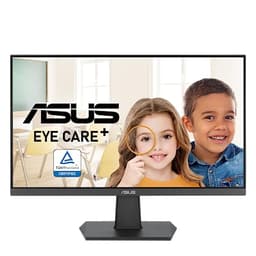
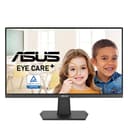
ASUS VA24EHF2 product photo

The cheap one that matches the console

ASUS VA24EHF2

1080p at 120Hz over HDMI on an IPS panel - the only monitor here whose refresh rate a PS5 can actually use.

Five panels against what a PS5 can send

Every spec below is copied from the retailer's own listing. Read the refresh rate alongside the port it runs over, because that is what decides whether a console can use it.

#ItemBest forBracketPrice
1
ASUS VA24EHF2 product photo
ASUS VA24EHF2
Monitor
The best panel-per-dollar if the second screen might ever show a game.BudgetCheck price
2
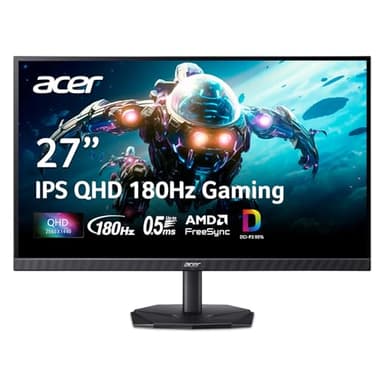
Acer Nitro KG271U N3bmiipx product photo
Acer Nitro KG271U N3bmiipx
Monitor
Buying two identical screens, or upgrading the main one and demoting the old panel.Mid-range$159.99
3
BenQ GW2490 product photo
BenQ GW2490
Monitor
The default second monitor: IPS, both video inputs, and speakers you can use for chat.Mid-range$99.99
4
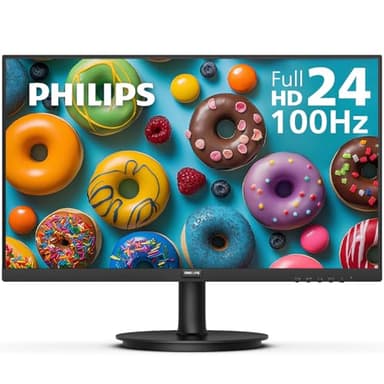
Philips 241V8LB product photo
Philips 241V8LB
Monitor
The cheapest way to put a second screen next to the one you already have.Budget$74.99
5
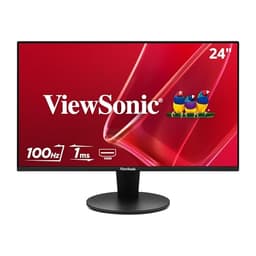
ViewSonic VS2447M product photo
ViewSonic VS2447M
Monitor
A budget second screen from a brand with a long monitor track record.Budget$89.99

Buy the ASUS VA24EHF2 - 1080p at 120Hz over HDMI is exactly what a PS5 outputs

A PS5's only video output is HDMI, and it sends 60Hz, 120Hz, or 1440p on newer consoles. So the cheapest honest buy is a 1080p 120Hz HDMI panel, and the ASUS VA24EHF2 is the one on this list that is all three. It is a 24-inch 1080p IPS screen at 120Hz with HDMI, and the console can use every part of that specification. If you want a bigger, sharper screen and you have a newer PS5, the Acer Nitro KG271U is the step up at 27 inches and 1440p.

The reason this page exists is that the monitor market sells refresh rates a console cannot reach, over ports a console does not have. A 100Hz panel is a very common budget specification - two of the five below are 100Hz - and a PS5 will run it at 60Hz, because the console's steps are 60 and 120 with nothing in between. You pay for 100 and you get 60. That is the single most useful sentence on this page.

What a PS5 actually outputs

4K at 120Hz, over HDMI 2.1.That is the console's ceiling per PlayStation's own support pages, and it is the figure every television marketing campaign is built around.

1440p, but only on newer consoles. Sony states that the 1440p setting is available only on consoles in the CFI-7000 model group, and that it needs a display supporting 1440p at 60Hz, or at 60Hz and 120Hz. There is a built-in test under Settings, then Screen and Video, then Video Output, which reports what your particular screen will accept at SDR and HDR, 60Hz and 120Hz, and with variable refresh rate. Run it before you spend anything. Checked October 11, 2026.

VRR, including at 1440p on compatible screens. Variable refresh rate was extended to 1440p output for VRR-capable HDMI 2.1 displays in games that support it. It is a smoothness feature, not a resolution feature, and it is not worth paying a large premium for on a budget build.

Nothing over DisplayPort, because there is no DisplayPort. This is the trap that costs people the most money. Plenty of monitors reach their headline refresh rate only over DisplayPort and cap HDMI lower. On a PC that is a non-issue; on a PS5 it makes the headline number fictional. Before buying any monitor for a console, confirm the HDMI refresh ceiling specifically.

Why a monitor instead of a television

Three honest reasons, and one reason not to. A monitor is cheaper than a television at the same panel quality, it has lower input lag by default because it has no picture processing to disable, and a 24-inch screen at arm's length looks larger than the number suggests.

The reason not to: couch co-op. If two or four of you are going to share this screen, buy a television. A 24-inch monitor split two ways gives each player a 12-inch slice, and split four ways it is unusable - which matters a great deal on this site, where most of what we recommend is played by more than one person. If that is your plan, read four-player split-screen games first and budget for a big panel instead of a good one.

The bit nobody budgets for

Sound. A PS5 sends audio down the HDMI cable, and most cheap monitors have no speakers at all - two of the five below do not. If the monitor is replacing a television, you need either a screen with speakers, a headset, or something plugged into the controller. The BenQ GW2490 below is the pick that solves this in the box, and our headset guide covers the other route, which matters more than people expect once friends are involved.
Before you buy

Run the console's own video output test before you buy, and check the HDMI refresh ceiling rather than the headline refresh rate. A PS5 will tell you exactly what a connected screen accepts under Settings, then Screen and Video, then Video Output. And because the console has no DisplayPort, a monitor advertising a high refresh rate it only reaches over DisplayPort is advertising a number you cannot use. Every spec on this page was copied from the retailer's own listing on September 6, 2026; where a listing does not state the per-port refresh breakdown, we have said so rather than guessed.

The picks, in depth

1
ASUS VA24EHF2 product photo

ASUS VA24EHF2

MonitorASUSBudget

Best for: The best panel-per-dollar if the second screen might ever show a game.

24 inch, 1080p, 120Hz, IPS, HDMI and VGA, VESA

An IPS panel at 120Hz for budget-tier money, which is the combination that makes this the one to buy if there is any chance the second screen gets used for actual gameplay rather than just chat. IPS holds color at an angle, which matters on a screen you are always looking at sideways.

The catch: HDMI and VGA only - there is no DisplayPort. If your graphics card is short on HDMI outputs, check what is free on the back of the machine before ordering.

Specification and availability taken from the retailer's product listing, checked September 6, 2026. Price is live and stamped under the button.

2
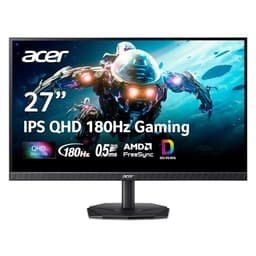
Acer Nitro KG271U N3bmiipx product photo

Acer Nitro KG271U N3bmiipx

MonitorAcerMid-range

Best for: Buying two identical screens, or upgrading the main one and demoting the old panel.

27 inch, 2560x1440 QHD, 180Hz, IPS

This is the pick when the second screen is not a sidekick. 27 inch, 1440p and 180Hz on an IPS panel is a real gaming specification, and buying two of them is the only way to get a matched pair that will work in an NVIDIA Surround or AMD Eyefinity group later. Buying one and moving your current monitor to the side is the cheaper version of the same plan.

The catch: Two of these is a serious outlay, and 1440p at 180Hz asks a lot more of a graphics card than 1080p did. If your GPU is already working hard, the monitor is not the upgrade to make first.

Specification and availability taken from the retailer's product listing, checked September 6, 2026. Price is live and stamped under the button.

$159.99 · View on Amazon
#ad · Price as of October 10, 2026 · Disclosure
3
BenQ GW2490 product photo

BenQ GW2490

MonitorBenQMid-range

Best for: The default second monitor: IPS, both video inputs, and speakers you can use for chat.

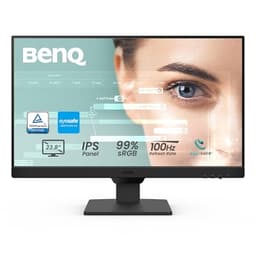
24 inch, 1920x1080, 100Hz, IPS, DisplayPort and HDMI, built-in speakers, VESA mount

The one to buy if you only want to think about this once. It is IPS so it holds color off-axis, it has DisplayPort as well as HDMI so it will connect to whatever port is free, and the built-in speakers are genuinely useful on a second screen - you can push Discord audio to them and leave your headset carrying game sound.

The catch: Built-in monitor speakers are always mediocre, and 100Hz on a 1080p IPS panel is a productivity specification rather than a gaming one. If the second screen is meant to be a real gaming display, this is not the right purchase.

Specification and availability taken from the retailer's product listing, checked September 6, 2026. Price is live and stamped under the button.

$99.99 · View on Amazon
#ad · Price as of October 10, 2026 · Disclosure
4
Philips 241V8LB product photo

Philips 241V8LB

MonitorPhilipsBudget

Best for: The cheapest way to put a second screen next to the one you already have.

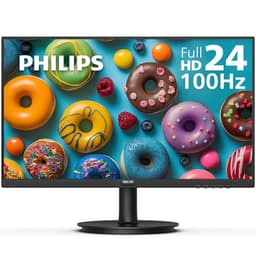
24 inch, 1920x1080, 100Hz, VA panel, VESA mount, flicker-free

This is the price floor for a second screen that is not a compromise on the things that matter for a chat-and-guides panel: it is 1080p, it runs at 100Hz rather than the old 60Hz standard, and it takes a VESA mount so it can go on an arm later. For a screen that will spend its life showing Discord, a wiki and a party chat window, that is the whole specification.

The catch: It is a VA panel, so off-angle color shifts more than an IPS screen - and a second monitor is by definition the one you look at from an angle. If the screen will sit well off to one side, spend a little more on an IPS panel.

Specification and availability taken from the retailer's product listing, checked September 6, 2026. Price is live and stamped under the button.

$74.99 · View on Amazon
$79.99-6%
#ad · Price as of October 10, 2026 · Disclosure
5
ViewSonic VS2447M product photo

ViewSonic VS2447M

MonitorViewSonicBudget

Best for: A budget second screen from a brand with a long monitor track record.

24 inch, 1080p, 100Hz, LED

Functionally the same job as the Philips at a similar price, from a company that has been making monitors for decades. If you have had a bad experience with an unfamiliar brand and want a name you recognize on the box for roughly the same money, this is the swap.

The catch: The listing is thin on panel detail compared with the others here, so if a specific panel type matters to you, buy the ASUS or the BenQ where the listing states it outright.

Specification and availability taken from the retailer's product listing, checked September 6, 2026. Price is live and stamped under the button.

$89.99 · View on Amazon
#ad · Price as of October 10, 2026 · Disclosure

Which of the five to buy

Buy the ASUS VA24EHF2 if you want the cheapest correct answer. 1080p, 120Hz, IPS, HDMI. The console's 120Hz mode is real on this panel, the IPS panel holds colour off-axis for anyone watching from the side, and it takes a VESA mount if it later moves onto an arm.

Buy the Acer Nitro KG271U if you have a CFI-7000-group PS5 and want 27 inches. 2560x1440 on an IPS panel is the resolution 27 inches needs, and 1440p is a mode newer PS5s support. Its listing quotes 180Hz without breaking that down by port, so confirm the HDMI ceiling with the seller before you commit - the console caps at 120Hz anyway, so anything above that is headroom you will not use.

Buy the BenQ GW2490 if the monitor has to make noise. IPS, both video inputs, and built-in speakers you can route PS5 audio to. Its 100Hz means the console will run it at 60Hz, so this is the pick you choose for the speakers and the panel, not for the refresh rate.

Buy the Philips 241V8LB or the ViewSonic VS2447M only if the budget is the constraint. Both are 1080p 100Hz, which a PS5 will drive at 60Hz. They are honest screens for the money and they are the right call if 60Hz is fine with you - most single-player games target 60 anyway. Just do not pay for them thinking you bought 100Hz.

What 60Hz versus 120Hz actually changes on a PS5

Less than the marketing suggests, and it depends entirely on the game. A game has to offer a performance or 120Hz mode for the console to use a 120Hz screen at all; many story games do not and run at 60 regardless of the panel. Where it does matter is fast-moving multiplayer - racing, shooters, anything where you are reacting to another player - which is exactly the category this site spends most of its time on. If your evenings are online shooters and PS5 multiplayer, the extra spend on a genuine 120Hz HDMI panel is the one upgrade here worth making. If they are co-op stories, it is not.

If this screen is going next to a PC as well

Common situation, and it changes the recommendation slightly: you want both inputs then, so the console and the computer can stay plugged in at once. The BenQ GW2490 has DisplayPort and HDMI, which is the configuration that makes a single screen serve both machines without re-plugging anything. The dual-screen versions of this problem are at second monitor for gaming, the budget dual monitor build and how to connect two monitors.

Frequently asked questions

What monitor should I buy for a PS5 on a budget?+

A 1080p 120Hz panel with HDMI. The ASUS VA24EHF2 is the pick on this page because it is all three - 24 inch, 1080p, 120Hz, IPS, over HDMI - which is exactly what a PS5 can send. A 100Hz monitor is the common budget trap: the console's steps are 60Hz and 120Hz, so it will run a 100Hz screen at 60.

Does the PS5 support 1440p monitors?+

On newer consoles, yes. PlayStation states that the 1440p setting is available only on consoles in the CFI-7000 model group, and that it requires a display supporting 1440p at 60Hz, or at 60Hz and 120Hz. The console has a built-in test under Settings, then Screen and Video, then Video Output, which reports exactly what your screen accepts.

Can you connect a PS5 with DisplayPort?+

No. The PS5's video output is HDMI only. This is why you should check a monitor's HDMI refresh ceiling rather than its headline refresh rate - many monitors reach their top refresh rate only over DisplayPort and cap HDMI lower, which makes the advertised number unusable on a console.

Is 120Hz worth it for a PS5?+

It depends what you play. A game has to offer a 120Hz or performance mode for the console to use a 120Hz screen at all, and many story games run at 60 regardless. Where it clearly helps is fast multiplayer - racing and shooters - so if that is most of your evenings, a genuine 120Hz HDMI panel is the upgrade worth paying for. For co-op stories, 60Hz is fine.

Will a 100Hz monitor run at 100Hz on a PS5?+

No. The console outputs at 60Hz or 120Hz, with nothing in between, so a 100Hz panel runs at 60Hz. The Philips 241V8LB, ViewSonic VS2447M and BenQ GW2490 on this page are all 100Hz screens and all of them will be 60Hz on a PS5. They are still reasonable buys at 60Hz - just do not pay a premium for the 100.

Do I need a monitor with speakers for a PS5?+

You need sound from somewhere. A PS5 sends audio down the HDMI cable and many cheap monitors have no speakers, so plan for either a screen with speakers, a headset, or headphones plugged into the DualSense. The BenQ GW2490 is the pick here that has speakers built in; a headset is the better answer once you are playing with friends and need a microphone.

Is a monitor or a TV better for a PS5?+

A monitor is cheaper at the same panel quality and has lower input lag out of the box, because there is no picture processing to switch off. But if two or four people are going to share the screen for split-screen or couch co-op, buy a television - a 24 inch monitor split two ways gives each player 12 inches, and split four ways it is unusable.

What size monitor is best for a PS5?+

24 inch at 1080p, or 27 inch at 1440p. Those are the two pairings where the pixel density is right; 27 inch at 1080p looks soft at desk distance. Since 1440p on a PS5 requires a CFI-7000-group console, check which model you own before buying a 27 inch screen for it.