Press Start Co

Do You Need a Second Monitor for Gaming?

Whether it is worth it, and which panel to buy if it is.

By Stephen V., Founder & Editor · Last updated September 6, 2026 · How we pick

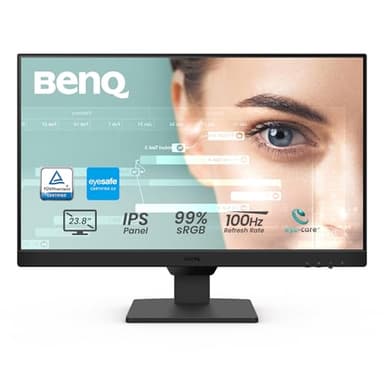
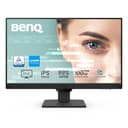
BenQ GW2490 product photo

Top pick

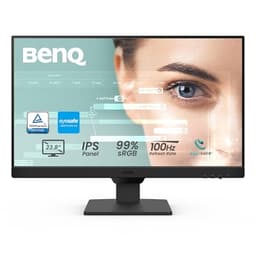
BenQ GW2490

The one to buy if you only want to think about this once: IPS, DisplayPort and HDMI, speakers for voice chat, and a VESA mount for later.

$99.99 · View on Amazon
#ad · Price as of September 14, 2026 · Disclosure

Five second monitors, ranked for the job

Ranked for use as a secondary screen, which is a different job from a main gaming display. Prices are live from Amazon; every write-up names the catch.

#ItemBest forBracketPrice
1
BenQ GW2490 product photo
BenQ GW2490
Monitor
The default second monitor: IPS, both video inputs, and speakers you can use for chat.Mid-range$99.99
2
ASUS VA24EHF2 product photo
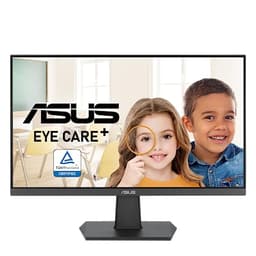
ASUS VA24EHF2
Monitor
The best panel-per-dollar if the second screen might ever show a game.Budget$94.99
3
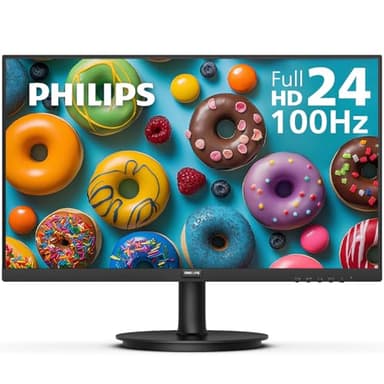
Philips 241V8LB product photo
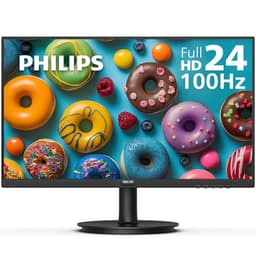
Philips 241V8LB
Monitor
The cheapest way to put a second screen next to the one you already have.Budget$79.99
4
ViewSonic VS2447M product photo
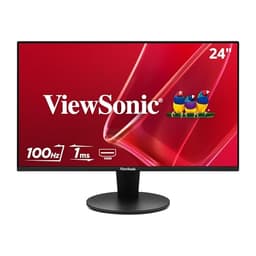
ViewSonic VS2447M
Monitor
A budget second screen from a brand with a long monitor track record.Budget$89.99
5
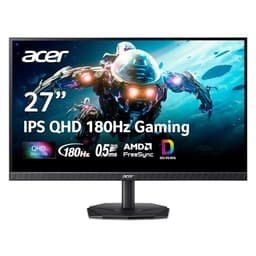
Acer Nitro KG271U N3bmiipx product photo
Acer Nitro KG271U N3bmiipx
Monitor
Buying two identical screens, or upgrading the main one and demoting the old panel.Mid-range$149.99

The honest answer: probably not, unless you play with other people

Most "do you need a second monitor" articles conclude that you do, which is convenient for everyone selling monitors. The real answer depends entirely on how you play, and there is a clean line through it.

If you play alone, mostly single-player, you probably do not need one. A second screen does not make games look better, run faster or feel more immersive. It will sit there dark for most of a single-player session. The money is better spent on the main monitor, the graphics card, or games.

If you play with friends, the case is much stronger. Group play generates a constant stream of things that want to be visible at the same time as the game: voice chat, who is in the party, someone sharing a screen, the text channel, the guide for whatever you are all stuck on. On one monitor every one of those is an alt-tab out of a session other people are waiting in. That is the problem a second screen actually solves, and it is a real one.

Four questions that settle it

Do you currently alt-tab during sessions? If you genuinely do not - if you play with voice on your phone, or you play alone, or you simply do not look things up - then a second screen will not change your evenings. If you tab out several times an hour and it annoys you or your group, that is the whole argument.

Is your desk big enough? Two monitors on their factory stands take an enormous footprint, and the stands prevent you from pushing the panels together. If the desk is small, the honest budget is a monitor plus an arm, not a monitor - see our arm guide for what to check before buying one.

Does your graphics card have a free output? The most common reason a new second monitor ends up back in its box. Look at the physical ports on the card with your current monitor plugged in and see what is actually free, then buy a panel with that input.

Do you already own a monitor you could demote? If you were going to upgrade your main display anyway, moving the old one to the side is the cheapest possible version of this and costs nothing extra beyond a cable and possibly an arm. Different panels work fine side by side for this purpose - mismatched monitors covers the specifics.

What to buy if the answer is yes

The single most useful thing to understand is that a secondary screen is judged on different criteria from a main one. Refresh rate barely matters, because a chat window does not benefit from 165Hz. Response time does not matter at all. Size matters less than people expect - a 24 inch panel holds a voice client and a browser tab comfortably, and a larger one mostly takes desk space you needed.

What does matter is viewing angle, and it is worth being specific about why. A second monitor is angled toward you from the side, so you are always looking at it off-axis. IPS panels hold their color and contrast at an angle; cheaper VA panels shift noticeably. That is the one specification worth paying a little more for here, and it is why the IPS options rank above the cheaper VA one below even though the VA panel saves real money.

The second thing worth having is the right input. A monitor with both DisplayPort and HDMI will connect to whatever your card has free; a monitor with only HDMI and VGA might not. And the third, if the second screen will hold your voice chat, is built-in speakers - not because they sound good, they do not, but because pushing Discord audio to them lets your headset carry only game sound, which is a genuinely nicer way to play.
Before you buy

Do not buy a second monitor expecting to span a game across both screens. That feature exists - NVIDIA Surround and AMD Eyefinity - but it needs monitors that match in resolution and refresh rate, a game that supports the very wide aspect ratio, and it puts a bezel through the middle of your view when you only have two panels. It is a simulator feature, not a general gaming one. If that was your plan, read what two screens actually do before spending anything.

The picks, in depth

1
BenQ GW2490 product photo

BenQ GW2490

MonitorBenQMid-range

Best for: The default second monitor: IPS, both video inputs, and speakers you can use for chat.

24 inch, 1920x1080, 100Hz, IPS, DisplayPort and HDMI, built-in speakers, VESA mount

The one to buy if you only want to think about this once. It is IPS so it holds color off-axis, it has DisplayPort as well as HDMI so it will connect to whatever port is free, and the built-in speakers are genuinely useful on a second screen - you can push Discord audio to them and leave your headset carrying game sound.

The catch: Built-in monitor speakers are always mediocre, and 100Hz on a 1080p IPS panel is a productivity specification rather than a gaming one. If the second screen is meant to be a real gaming display, this is not the right purchase.

Specification and availability taken from the retailer's product listing, checked September 6, 2026. Price is live and stamped under the button.

$99.99 · View on Amazon
#ad · Price as of September 14, 2026 · Disclosure
2
ASUS VA24EHF2 product photo

ASUS VA24EHF2

MonitorASUSBudget

Best for: The best panel-per-dollar if the second screen might ever show a game.

24 inch, 1080p, 120Hz, IPS, HDMI and VGA, VESA

An IPS panel at 120Hz for budget-tier money, which is the combination that makes this the one to buy if there is any chance the second screen gets used for actual gameplay rather than just chat. IPS holds color at an angle, which matters on a screen you are always looking at sideways.

The catch: HDMI and VGA only - there is no DisplayPort. If your graphics card is short on HDMI outputs, check what is free on the back of the machine before ordering.

Specification and availability taken from the retailer's product listing, checked September 6, 2026. Price is live and stamped under the button.

$94.99 · View on Amazon
$109.00-13%
#ad · Price as of September 14, 2026 · Disclosure
3
Philips 241V8LB product photo

Philips 241V8LB

MonitorPhilipsBudget

Best for: The cheapest way to put a second screen next to the one you already have.

24 inch, 1920x1080, 100Hz, VA panel, VESA mount, flicker-free

This is the price floor for a second screen that is not a compromise on the things that matter for a chat-and-guides panel: it is 1080p, it runs at 100Hz rather than the old 60Hz standard, and it takes a VESA mount so it can go on an arm later. For a screen that will spend its life showing Discord, a wiki and a party chat window, that is the whole specification.

The catch: It is a VA panel, so off-angle color shifts more than an IPS screen - and a second monitor is by definition the one you look at from an angle. If the screen will sit well off to one side, spend a little more on an IPS panel.

Specification and availability taken from the retailer's product listing, checked September 6, 2026. Price is live and stamped under the button.

$79.99 · View on Amazon
#ad · Price as of September 14, 2026 · Disclosure
4
ViewSonic VS2447M product photo

ViewSonic VS2447M

MonitorViewSonicBudget

Best for: A budget second screen from a brand with a long monitor track record.

24 inch, 1080p, 100Hz, LED

Functionally the same job as the Philips at a similar price, from a company that has been making monitors for decades. If you have had a bad experience with an unfamiliar brand and want a name you recognize on the box for roughly the same money, this is the swap.

The catch: The listing is thin on panel detail compared with the others here, so if a specific panel type matters to you, buy the ASUS or the BenQ where the listing states it outright.

Specification and availability taken from the retailer's product listing, checked September 6, 2026. Price is live and stamped under the button.

$89.99 · View on Amazon
#ad · Price as of September 14, 2026 · Disclosure
5
Acer Nitro KG271U N3bmiipx product photo

Acer Nitro KG271U N3bmiipx

MonitorAcerMid-range

Best for: Buying two identical screens, or upgrading the main one and demoting the old panel.

27 inch, 2560x1440 QHD, 180Hz, IPS

This is the pick when the second screen is not a sidekick. 27 inch, 1440p and 180Hz on an IPS panel is a real gaming specification, and buying two of them is the only way to get a matched pair that will work in an NVIDIA Surround or AMD Eyefinity group later. Buying one and moving your current monitor to the side is the cheaper version of the same plan.

The catch: Two of these is a serious outlay, and 1440p at 180Hz asks a lot more of a graphics card than 1080p did. If your GPU is already working hard, the monitor is not the upgrade to make first.

Specification and availability taken from the retailer's product listing, checked September 6, 2026. Price is live and stamped under the button.

$149.99 · View on Amazon
$179.99-17%
#ad · Price as of September 14, 2026 · Disclosure

The cheaper alternatives nobody mentions

Two things solve a good part of this problem for nothing, and it would be dishonest to sell a monitor without naming them.

Your phone is already a second screen. Discord runs on it, and for voice chat specifically a phone propped against the base of your monitor does most of what a second display would - you can see who is talking and mute yourself without leaving the game. If voice was your only reason, try that for a week before spending anything.

Windows can split one screen properly. Snapping a game to windowed borderless on one side and a browser on the other is a genuine option on a large monitor, and costs nothing. It is worse than two screens - you are shrinking the game - but it tells you whether having both visible actually changes how you play before you commit.

Where a second monitor is the wrong purchase entirely

If the machine is struggling to run what you want to play, a second display makes that marginally worse rather than better, and the money belongs elsewhere. Our low-end PC guide covers what plays well on a modest machine.

If the real problem is that your group cannot all play the same thing, no monitor fixes that either - the crossplay hub is the page for that. And if the problem is local rather than online, the purchase that changes the most is a second controller, which costs a fraction of a monitor and unlocks an entire library.

Frequently asked questions

Is a second monitor worth it for gaming?+

It depends on whether you play with other people. For solo single-player it changes very little and the money is better spent elsewhere. For group play it solves a real problem - keeping voice chat, party lists and guides visible without alt-tabbing out of a session your friends are waiting in.

What size should a second monitor be?+

24 inch is the practical default. It holds a voice client and a browser tab comfortably and does not eat the desk space a larger panel would. Bigger is only worth it if the second screen will regularly show something you actually watch, like a stream.

Does a second monitor need a high refresh rate?+

No. A screen holding chat and a browser gains nothing from a high refresh rate, and neither does a guide page. Spend the difference on an IPS panel instead - viewing angle is the specification that genuinely matters on a screen you look at from the side.

Can I use my old monitor as a second screen?+

Yes, and it is the cheapest way to do this. Different sizes, resolutions and refresh rates are all fine for a normal extended desktop. The only thing you may need is the right cable, and possibly a monitor arm if the two stock stands will not fit on the desk together.

Do I need a special graphics card for two monitors?+

No - almost any modern card drives two displays. What you need is a free output on it. Check the physical ports with your current monitor plugged in, see what is actually spare, and buy a monitor with a matching input.