Buy 24 inch at 1080p, or 27 inch at 1440p. Do not buy 27 inch at 1080p.
That one sentence answers the question for almost everybody, and it is the thing most size comparisons bury. The size argument is really a pixel-density argument, and resolution is the variable that decides it.
A 24 inch screen at 1920x1080 and a 27 inch screen at 2560x1440 both look sharp, because they land at a similar density - roughly 92 and 109 pixels per inch respectively. Stretch that same 1080p image across 27 inches and the density drops to about 82 pixels per inch, which is where individual pixels start being visible at a normal desk distance. Text edges soften, and the extra size you paid for is spent making everything slightly blurrier.
So the real choice is not 24 or 27. It is 24 inch at 1080p for less money, or 27 inch at 1440p for more - with 27 inch at 1080p as the trap in the middle, which is unfortunately also the cheapest 27 inch option on most shelves and therefore the one people buy.
The three things that actually decide it
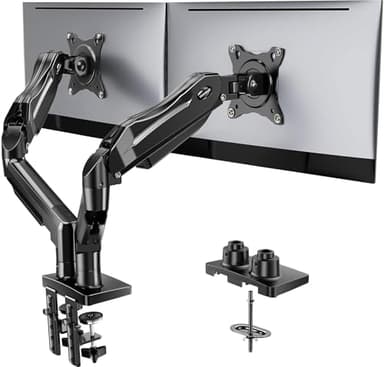
How deep your desk is.This is the most underrated factor and the easiest to measure. A 27 inch screen wants roughly arm's length - about 70 to 80cm from your eyes. On a shallow desk, say 60cm deep, a 27 inch panel sits too close, and you end up moving your head to see the corners instead of just your eyes. If your desk is shallow and you cannot move the monitor back, 24 inch is not a compromise, it is the correct choice. A monitor arm buys back some of that depth by pushing the screen towards the wall, which is covered on our monitor arms page.
What the graphics card can drive. 1440p asks for noticeably more graphics power than 1080p at the same frame rate. If your machine is already working hard to hold a steady frame rate at 1080p, moving to a 27 inch 1440p panel will make games look worse, not better, because you will be dropping frames or turning settings down to pay for the pixels. In that situation the monitor is not the upgrade to make first.
Whether it is the main screen or the second one. This is where the answer flips, and it is why this page sits in our setup cluster rather than standing alone. For a second screen - the one holding Discord, a guide, a wiki or a stream - 24 inch is the better buy almost regardless of budget. It takes less desk, it sits in peripheral vision comfortably, and spending the difference on the main panel instead is a better outcome. Our budget dual monitor setup page costs out that whole build.
What about competitive play?
There is a long-standing preference for 24 inch among competitive players, and the reasoning is real even if it is often overstated: a smaller screen fits entirely within your central vision, so you are not moving your eyes to track information at the edges. For most people playing with friends, this is not a factor worth paying for in either direction. Refresh rate matters far more than size here, and all of the panels below run at 100Hz or above.
Reading the specs below
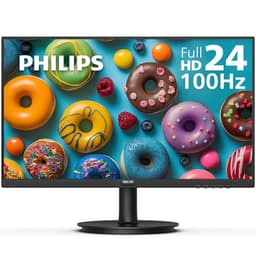
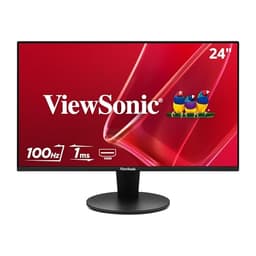
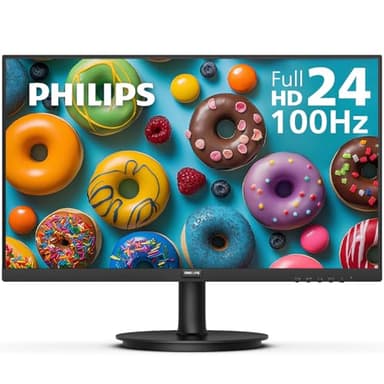
Four of the five picks are 24 inch 1080p panels that differ mainly in panel type and inputs, and one is the 27 inch 1440p option. The things worth comparing:
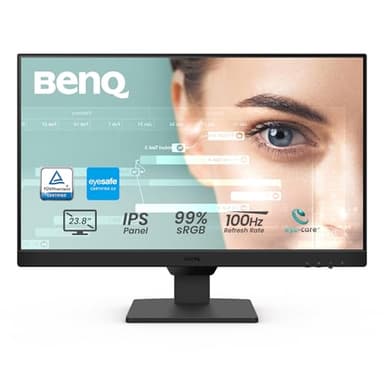
Panel type. IPS holds colour when viewed from an angle; VA does not, as much. On a second monitor - which by definition you look at sideways - that is a real difference rather than a spec-sheet one. The ASUS and BenQ are IPS, the Philips is VA.
Inputs. Check what is actually free on the back of your machine before ordering. The ASUS listing is HDMI and VGA with no DisplayPort, which is fine unless your HDMI ports are already full. The BenQ carries both DisplayPort and HDMI.
Refresh rate. 100Hz, 120Hz and 180Hz here. Any of them is a clear improvement on the old 60Hz standard; the jump from 60 to 100 is far more noticeable than the jump from 100 to 180.
VESA mounting. If there is any chance you will put the screen on an arm later, it needs a VESA pattern. Specs and availability below were last verified against the retailer listings on September 6, 2026.