Press Start Co

How to Play Split-Screen on Fortnite

Free, two players, and only on half the platforms Fortnite runs on.

By Stephen V., Founder & Editor · Last updated October 11, 2026 · How we pick

Two players, on PlayStation and Xbox only, and player two needs their own Epic account

Fortnite split-screen - Epic calls it Local Multiplayer - works for two players on PlayStation and Xbox. It is not available on Nintendo Switch, on PC, or on mobile. Per Epic's own Fortnite support articles it covers Battle Royale, Zero Build and the LEGO Fortnite modes, and it is unavailable in Creative, Limited Time Modes, Save the World, Ranked and Solos - the last of those for the obvious reason that Solos is one player by definition. Checked October 11, 2026.

If you are on a Switch or a PC and this is what you came for, the answer is that the feature does not exist there and no setting will produce it. The picks below are what to buy instead: Sonic Racing: CrossWorlds for four-player split-screen that includes Switch, Rayman Legends for the cheapest four-player local game on every platform, and Overcooked! All You Can Eat for the one with crossplay.

The requirement that stops most people: player two's account

Epic's support pages are unambiguous about this and it is the single most common reason a split-screen attempt fails. The second player must sign in with their own Epic account. Guest accounts and Quick Play accounts are not supported. So if the plan is "my friend hops on the second controller", they need a real Epic account first, created in advance, on the console in front of you. It is free and it takes a couple of minutes, but it is not something to discover at the start of the evening.

Epic also lists three more conditions worth knowing before you start: both players need the same language settings, inventory is not shared between the two players, and the session ends if either player leaves the match. And tournaments do not allow split-screen at all, so a competitive player cannot use it.

The setup, in order

One. Create the second Epic account first, if it does not exist. Not a guest profile - an Epic account.

Two. Pair and switch on the second controller before you do anything in the game.

Three. From the Fortnite lobby, press the prompt on the second controller and sign that player into their Epic account.

Four. Pick Duos or Squads - a mode that has room for two local players. Solos cannot work and Ranked is excluded.

Five. If the second slot refuses to appear, the cause is almost always the account type or the platform rather than anything you have configured wrongly.

Why Fortnite is the odd one out on this site

Fortnite is free, crossplays across every platform it runs on, and takes a squad of four - so it looks like it should be the perfect answer for a group. For online play it very nearly is, and it leads our free crossplay listfor that reason. For a group in one room it is a worse fit than almost anything we recommend, because the local feature is two players on two of its five platforms, with an account requirement and a list of excluded modes. That gap between "plays with everyone" and "plays with the person beside you" is the whole reason this page exists.

One to skip

Skip Fortnite entirely if your group is four people in one room with one console. Two of you will play and two will watch, and it is free, so there is a strong temptation to try it anyway and have a flat evening. Four-player split-screen is a different shopping list: Sonic Racing: CrossWorlds, Overcooked, Rayman Legends and the rest of four-player split-screen games. Keep Fortnite for the night everybody is at home on their own machines.

Fortnite, plus the games that cover what it will not

Fortnite is free, so there is nothing to price. The four paid picks below each fix one of Fortnite split-screen's limits - no Switch, no PC, two players only.

#GameBest forCrossplayPrice
1
Fortnite - Battle royale / party
Fortnite
Battle royale / party
A mixed-platform group that wants a free, everyone-already-has-it option.Yes - full crossplay across everythingFree
2
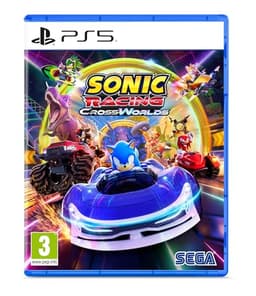
Sonic Racing: CrossWorlds cover art
Sonic Racing: CrossWorlds
Kart racer
Four people around one screen on a console that is not a Switch 2.Yes - cross-platform multiplayer$34.99
3
Rayman Legends cover art
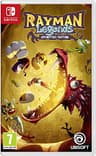
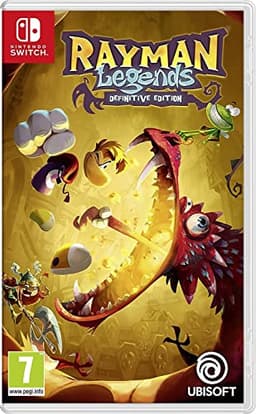
Rayman Legends
Platformer
Up to four on the couch who want a gorgeous, forgiving platformer.No - local co-op only$26.00
4
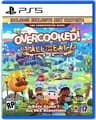
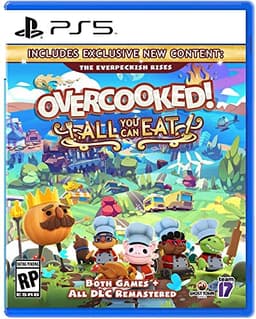
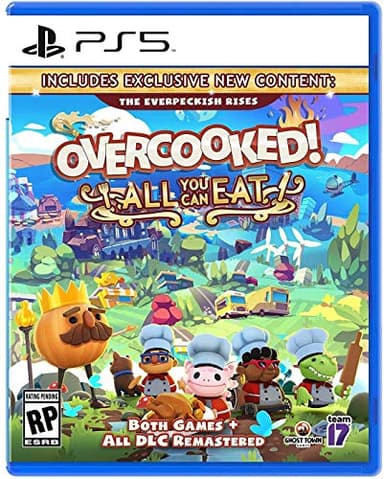
Overcooked! All You Can Eat cover art
Overcooked! All You Can Eat
Party co-op
A group of 2-4 that wants controlled chaos and a lot of yelling.Yes - full crossplay$22.49
5
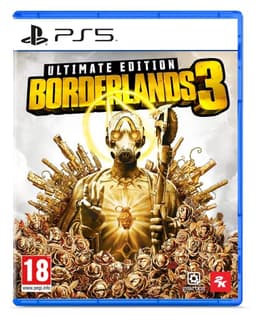
Borderlands 3 cover art
Borderlands 3
Looter-shooter
A group that likes loot grinding and can play on the same platform.No$34.04

The picks, in depth

1
Fortnite - Battle royale / party

Fortnite

PS5XboxSwitchPCMobileCrossplay: Yes - full crossplay across everything

Best for: A mixed-platform group that wants a free, everyone-already-has-it option.

Up to 4 squad, big modes · Battle royale / party

Free, on every platform, with full crossplay - the lowest-friction way to get a group playing tonight when nobody wants to spend money. Beyond battle royale there are party and creative modes. Free with optional cosmetics.

Facts verified via Fortnite official site.

Also a top pick in Best Games to Play With Friends and Online.

2
Sonic Racing: CrossWorlds cover art

Sonic Racing: CrossWorlds

PS5XboxSwitchPCCrossplay: Yes - cross-platform multiplayer

Best for: Four people around one screen on a console that is not a Switch 2.

Up to 4 local split-screen, 12 online · Kart racer

The Steam listing carries both the Shared/Split Screen and Cross-Platform Multiplayer flags, and the local split-screen mode runs up to four players with the race rules exposed - speed, team size, item sets, AI difficulty. Released September 25, 2025, it is the only genuinely new four-player split-screen racer you can put on a PS5, an Xbox or a PC. It is also a kart racer with a lot of systems bolted on: gadgets, gears and a customization layer that takes a night to settle into, which is friction a pick-up-and-play group may not want.

Facts verified via Steam store page.

Also a top pick in New Split-Screen Games and Gamer Who Has Everything.

$34.99 · View on Amazon
#ad · Price as of October 10, 2026 · Disclosure
3
Rayman Legends cover art

Rayman Legends

SwitchPS5XboxPCCrossplay: No - local co-op only

Best for: Up to four on the couch who want a gorgeous, forgiving platformer.

1-4 local co-op · Platformer

One of the best local four-player platformers ever made - drop-in co-op, instant respawns, and a killer soundtrack. Couch only. A great pick for mixed skill levels because nobody gets left behind for long.

Facts verified via Ubisoft official site.

Also a top pick in Party and Couch Co-op.

$26.00 · View on Amazon
#ad · Price as of October 10, 2026 · Disclosure
4
Overcooked! All You Can Eat cover art

Overcooked! All You Can Eat

PS5XboxPCSwitchCrossplay: Yes - full crossplay

Best for: A group of 2-4 that wants controlled chaos and a lot of yelling.

1-4 players, online + local · Party co-op

Both Overcooked games remastered with full crossplay across every platform - genuinely the easiest way to get four friends on four different systems cooking together. Local and online. It will test friendships; that's the point.

Facts verified via Steam store page.

Also a top pick in Best Games to Play With Friends and Party.

$22.49 · View on Amazon
#ad · Price as of October 10, 2026 · Disclosure
5
Borderlands 3 cover art

Borderlands 3

PS5XboxPCCrossplay: No

Best for: A group that likes loot grinding and can play on the same platform.

1-4 co-op, online + split-screen · Looter-shooter

Four-player looter-shooter co-op with split-screen for couch play - a lot of game for the money, especially the Ultimate Edition. No crossplay, so line up your platforms first. Great for a crew that wants a long shared campaign.

Facts verified via 2K official site.

Also a top pick in Co-op and Split-Screen.

$34.04 · View on Amazon
$36.21-6%
#ad · Price as of October 10, 2026 · Disclosure

What to play instead, by the limit you hit

"We are on a Switch." Fortnite split-screen is not available there. Sonic Racing: CrossWorlds does up to four local split-screen and is on Switch; Rayman Legends does four local on Switch as well, for less money. Our split-screen on Switch list is the full version.

"We are on one PC." Also unavailable. Read split-screen on PC, which is honest about how short that list is and covers the Remote Play Together route for games without the feature.

"There are four of us and one console." Sonic Racing: CrossWorlds for racing, Overcooked for cooperation, Borderlands 3 if it has to be a shooter. All three split four ways on console.

"We want a shooter on one screen." Borderlands 3 is the pick - four players split-screen on console, and no subscription needed for local play. Black Ops 7 also does split-screen, for two players on PS5 and Series X|S only and with a connection and subscription required; the details are at Black Ops 7 split-screen.

"We want to keep it free." Then the honest answer is that free and local-multiplayer rarely overlap. Among Us is free and supports local play, and the broader free lists are at free games to play with friends and free crossplay. Everything genuinely built for four people on one sofa is a paid purchase, usually a cheap one.

Does Fortnite split-screen need PlayStation Plus?

Fortnite is free-to-play, and free-to-play titles do not require the paid online tier on either PlayStation or Xbox - which makes Fortnite one of the cheapest ways for two people on one console to play online together. The general rules for subscriptions and local play are at do you need PS Plus to play split-screen.

What this page does not claim

Fortnite changes constantly, and Epic's own support articles have carried different mode lists at different times - the older ones scope split-screen to Battle Royale Duos and Squads, the current one adds Zero Build and the LEGO Fortnite modes. We have reported the current list with a check date rather than pretending it is permanent, and we have not listed individual playlists, because those rotate weekly. If a mode you expect is missing in-game, treat Epic's support site as the authority over this page.

Frequently asked questions

How do you play split-screen on Fortnite?+

On a PlayStation or Xbox, create an Epic account for the second player in advance, pair and switch on the second controller, press the prompt in the Fortnite lobby to sign that player in, and pick Duos or Squads. Epic's support pages state that guest accounts and Quick Play accounts are not supported for the second player, which is the step most attempts fail on.

Is Fortnite split-screen on Nintendo Switch?+

No. Epic's support articles list split-screen as unavailable on Nintendo Switch, as well as on PC and mobile - it is a PlayStation and Xbox feature. For four-player local play on a Switch, Sonic Racing: CrossWorlds and Rayman Legends both do it, and our split-screen on Switch page has the rest.

Can you play Fortnite split-screen on PC?+

No. PC is not a supported split-screen platform for Fortnite. If you want two players on one computer, our split-screen on PC page covers the titles that genuinely support it and the Steam Remote Play Together route for games that do not.

How many players can play Fortnite split-screen?+

Two. Fortnite's Local Multiplayer is a two-player feature, so a squad of four cannot be assembled from one console. For four players on one screen you need a different game - Sonic Racing: CrossWorlds, Overcooked! All You Can Eat or Borderlands 3 on console are the picks.

Which Fortnite modes support split-screen?+

Per Epic's current support article, Battle Royale, Zero Build and the LEGO Fortnite modes. It is unavailable in Creative, Limited Time Modes, Save the World, Ranked and Solos, and tournaments do not permit split-screen at all. Mode availability has changed between versions of that article, so treat Epic's support site as the live authority.

Why is Fortnite split-screen not working?+

Three likely causes. The platform - it is PlayStation and Xbox only. The account - player two needs their own Epic account, not a guest or Quick Play account. Or the mode - Solos, Ranked, Creative, Save the World and Limited Time Modes are excluded. Epic also requires both players to have matching language settings.

Does Fortnite split-screen need PS Plus?+

No. Fortnite is free-to-play, and free-to-play games do not require the paid online tier on PlayStation or Xbox. That makes it one of the cheapest ways for two people on one console to play online together, even though its local feature is limited to two platforms.

Can split-screen players be on the same team in Fortnite?+

Yes - that is the point of using Duos or Squads. Both local players join the same match on the same team, though Epic notes that inventory is not shared between them and the session ends if either player leaves the match.