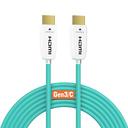
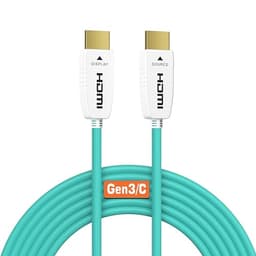
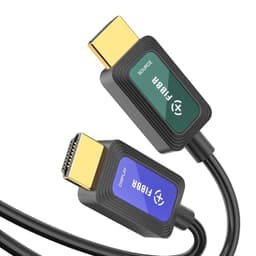
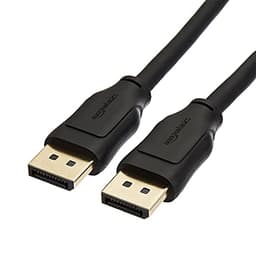
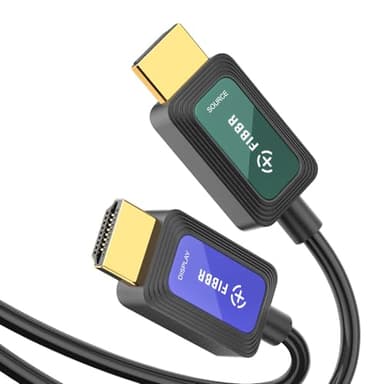
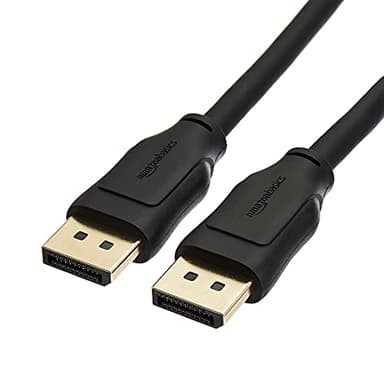
The verdict: for a gaming setup, the only HDMI cable worth going out and buying is a long one, and the top pick is the RUIPRO 8K Fiber Optic HDMI 2.1, 25 ft - fiber optic rather than copper, 48Gbps, 8K at 60Hz and 4K at 120Hz on its listing, for the person running a PC or console to a television across the room. The budget pick is the unbranded 25 ft Fiber Optic HDMI 2.1 cable, which carries the same listed specification - 48Gbps, 8K at 60Hz, 4K at 120Hz, plus VRR, ALLM and eARC - for a fraction of the price, and is the right call if the cable will run along a skirting board where you can swap it in five minutes. And if the screen is a monitor on a desk rather than a TV across a room, the honest answer is the third pick: a DisplayPort cable, which is cheaper than both and is usually the port you actually need. Prices are live as of November 23, 2026.
First, the thing nobody selling cables will tell you
For a short run, the HDMI cable in the box with your console or monitor is fine. There is no picture quality to gain. HDMI is a digital signal: either the full signal arrives and you get the picture the console sent, or it does not and you get dropouts, flicker, black frames or no signal at all. There is no middle state where an expensive cable looks richer. Any product page suggesting otherwise is selling you something.
So there are only two situations where buying a cable is the correct purchase, and both of them are about distance or ports rather than quality.
Situation one: the run is longer than about ten feet
This is the real reason to buy. Ordinary copper HDMI becomes unreliable at high resolutions and refresh rates somewhere past roughly ten feet - which is shorter than most living rooms, and considerably shorter than the distance from a desk to a sofa. The failure is not subtle: sparkles, dropped frames, the display losing signal when the game changes resolution, or a picture that works at 60Hz and collapses at 120Hz.
Fiber optic HDMI is the fix, and it is the only reason either of the two long cables is on this page. It carries the signal as light rather than as electricity, which is what holds a 4K 120Hz signal over a run copper cannot manage. Both picks here are listed as HDMI 2.1 at 48Gbps with 8K at 60Hz and 4K at 120Hz over twenty-five feet. That is what makes a PC-in-the-study, TV-in-the-living-room setup possible without moving the PC - which is the whole argument on our couch gaming setup page.
Both fiber cables are directional, and this catches almost everybody. One end is marked for the source and one for the display. Plug it in the wrong way round and you get no picture at all - which looks exactly like a dead cable, so people return a working product. Check the labels on the connectors before you blame the cable.
Situation two: the port you need is already in use
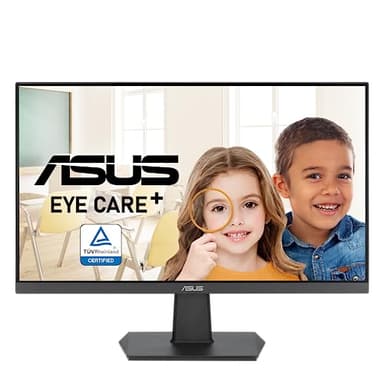
The quieter reason, and the one that leaves a new monitor in its box for a week. A monitor ships with one cable, usually HDMI. If your graphics card's HDMI output is already running your television or your first screen, the second monitor has to go into a DisplayPort output - and nobody includes that cable. That is the entire reason the third pick exists: it is listed at DisplayPort 1.4, 32.4Gbps, 8K at 60Hz and 4K at 120Hz over six feet, and it costs less than a takeaway.
For a desk monitor, DisplayPort is usually the better port as well as the available one. Check the back of both the graphics card and the monitor before ordering, because a monitor with only VGA and HDMI inputs cannot use it at all - several of the budget panels on our second monitor page are exactly that.
What the numbers on the box mean, briefly
Three figures, and you can ignore the rest of the listing. Bandwidth is the ceiling: 48Gbps is the HDMI 2.1 figure and is what 4K at 120Hz requires, so a cable quoting less than that is not a cable for a current console. Resolution and refresh together are what you are actually buying - 4K at 120Hz is the specification a PS5 or an Xbox Series X can output, and 8K at 60Hz is a number that will matter later and does not matter now. Length is the only one where paying more is clearly justified, because it is the only one where the cheap option genuinely fails.
Two extras worth recognising on the budget fiber listing: VRR (variable refresh rate, which stops tearing when the frame rate moves) and ALLM (auto low latency mode, which tells a TV to switch into game mode on its own). Both are HDMI 2.1 features and both matter more for a console on a television than anything else on the box. eARC, on both fiber picks, is about sending audio back to a soundbar - useful, and unrelated to gaming.